
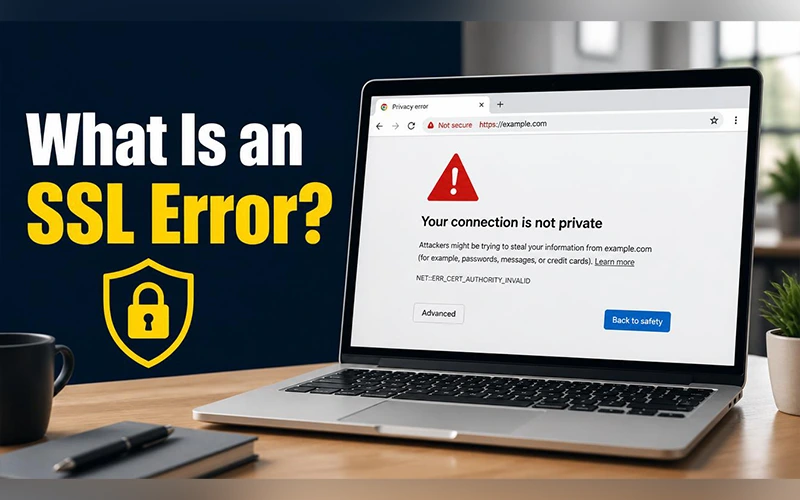
You open a website expecting it to load normally, but an alert appears saying, “Your connection is not private.” The page remains inaccessible, leaving you unsure what caused the problem or how to resolve it. So, what is an SSL error? It’s your browser refusing to open a website because it can’t confirm the site is who it claims to be. The same thing can happen inside a mobile app or on a streaming device. This article covers why that happens, how to fix it, and when to walk away.
What an SSL Error Actually Means
SSL (Secure Sockets Layer) and its modern successor, TLS (Transport Layer Security), protect the data traveling between your device and a website. Every secure site carries a digital certificate, which works like an ID card. Your browser checks that ID before it lets any data through.
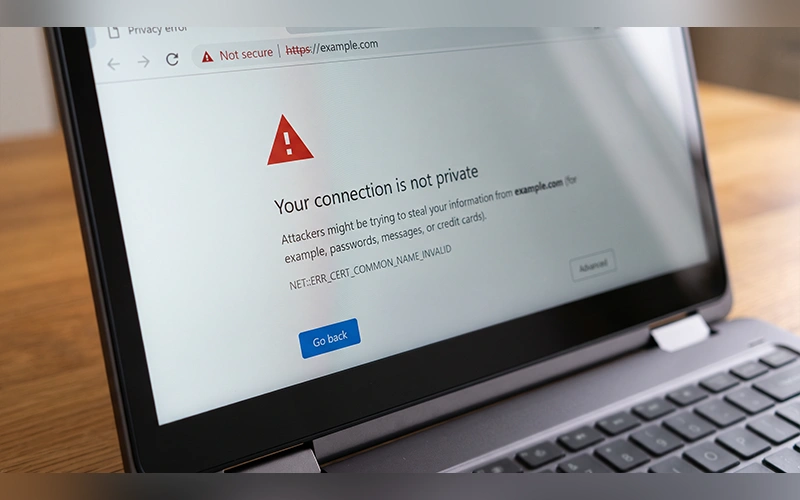
If the check fails, the browser blocks the page rather than risk exposing your passwords or card details. The warning is usually protecting you, even though it feels like an obstacle.
Why SSL Errors Happen
The cause is either on the website’s side or on yours. The table below shows who is responsible for each one.
| Problem | What it means | Who fixes it |
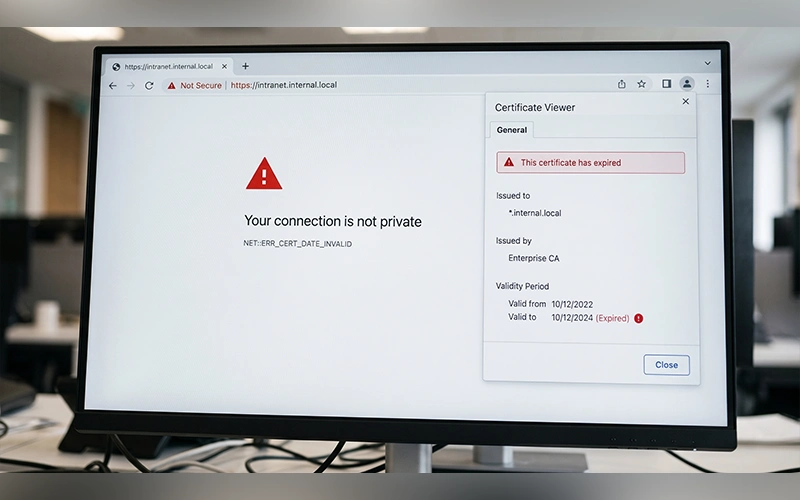
| Expired certificate | The certificate has passed its end date | Website owner |
| Name mismatch | The address you typed doesn’t match the name on the certificate | Website owner |
| Unreliable reference | The certificate was either signed by the server itself or issued by an unrecognized authority. | Website owner |
| Mixed content | A secure page loads insecure images or scripts | Website owner |
| Wrong system clock | Your device’s date makes a valid certificate look expired | You |
| Handshake failure | Browser and server can’t agree on an encryption version | Both sides |
Largely beyond your influence. The wrong system clock is the one you can fix in seconds, and it’s the most frequent user-side cause.
Reading the Message on Your Screen
Browsers sometimes show a technical label instead of plain wording. Each SSL error code points to a specific failure, which saves you guesswork.
| Code | What it means | Likely fix |
| ERR_CERT_DATE_INVALID | The certificate has expired, or your clock is wrong | Sync your date and time |
| SSL_ERROR_NO_CYPHER_OVERLAP | Browser and server share no common encryption method | Update the browser or the server’s ciphers |
| SSL_ERROR_RX_RECORD_TOO_LONG | The server sends plain HTTP over a secure port | Correct the server’s port settings |
| UNABLE_TO_GET_LOCAL_ISSUER | Your device can’t verify the authority that signed the certificate | Install the missing root or intermediate certificates on the host |
The last three point directly to server errors. If you see one on a site you don’t run, the best you can do is tell the owner. The exception is UNABLE_TO_GET_LOCAL_ISSUER, which can also mean your own device lacks a trusted root certificate, and a software update usually adds it.
Quick Fixes You Can Try Yourself
Looking up “SSL certificate error how to fix” can send you down a rabbit hole, so start with the steps that cost nothing:
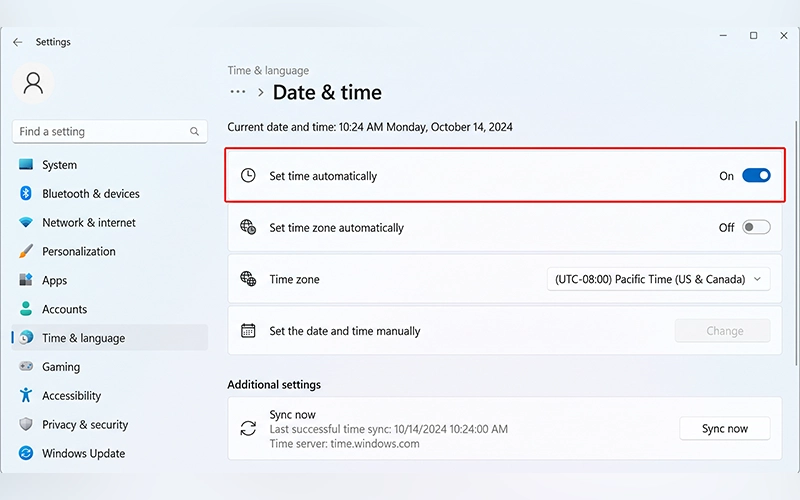
- Sync your clock. Set the date, time and time zone to update automatically.
- Update your browser and operating system. Outdated software can’t handle current encryption standards.
- Clear your browser cache. An old saved copy of a site can clash with a freshly renewed certificate.
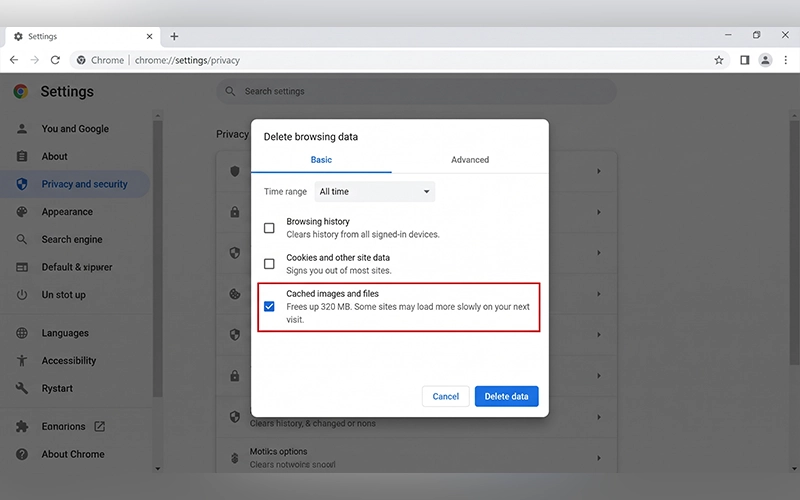
- Open the page in Incognito Mode. If it loads there, a browser extension or ad-blocker is the culprit.
- Pause your antivirus HTTPS scanning. Some network defense tools scan encrypted packets and can inadvertently trigger mistaken warnings. Switch the feature back on afterward.
- Try restarting your Wi-Fi. If you are on a public network or using a router with incorrect settings, it might be messing with your connection data enough to trigger a fake certificate alert.
If the error survives all of these, test the page on another device or network. If it fails there too, the problem is probably on the website’s end.
If the warning persists, consult Mozilla’s guide to secure connection errors for additional troubleshooting information.
SSL Problems on iPhone and iPad
People often search for “what is SSL error on iPhone”, and the short answer is that iOS blocked a connection it judged unsafe. The block isn’t limited to Safari. It can also stop app updates, break VPN connections, halt mail syncing and make payments fail. iPadOS behaves the same way, so the answer to “what is an SSL error on iPad” is identical.
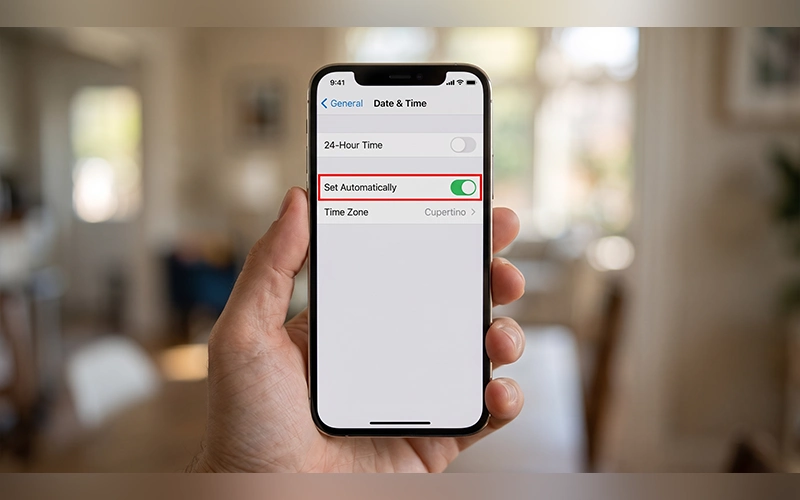
Most of the fixes above apply here. Update iOS under Settings > General > Software Update, set the clock under Settings > General > Date & Time, and clear Safari’s saved data under Settings > Safari > Clear History and Website Data. Two more fixes are worth a try:
- Reset Network Settings. This wipes corrupted DNS or Wi-Fi configurations. Go to Settings > General > Transfer or Reset iPhone (or iPad) > Reset > Reset Network Settings. Remember to reconnect to your Wi-Fi afterward.
- Switch connections. Moving from 5G to 4G, or from mobile data to Wi-Fi, can sidestep a routing glitch on one network.
For detailed instructions, see our guide on how to clear browser cache on iPhone.
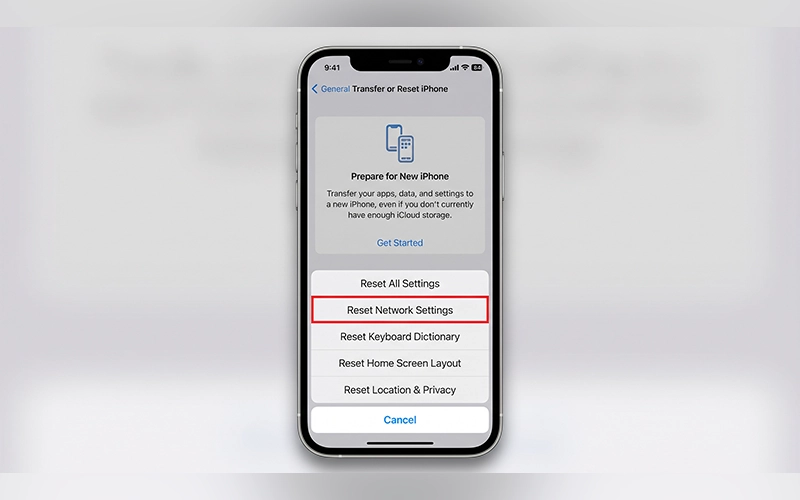
If you’ve searched “SSL certificate error how to fix iPhone”, these steps cover most cases.
When an App Throws the Error
An SSL error on app launch or while content loads means the app made a secure call to its home server and the handshake failed. You won’t see a browser warning, just a message inside the app.
Take Apple Music. What is an SSL error on Apple Music? When you see “An SSL error has occurred,” the app couldn’t get a secure stream from Apple’s servers, so your songs won’t play.
Try these in order:
- Turn off Low Power Mode. It restricts background activity, and that can interrupt the handshake.
- Disable VPNs, proxies and ad-blocking profiles. They often intercept traffic and break the certificate chain.
- Reinstall the app. Deleting it and downloading it again from the App Store clears corrupted app data.
If every app fails, not just one, the cause is more likely your network or your device’s date than the app itself.
SSL Trouble on Firestick and Streaming Devices
What is SSL certificate error on Firestick? This issue usually manifests as a standard connectivity failure or an ERR_SSL_PROTOCOL_ERROR code within clients like Jellyfin and YouTube.
Age is often the cause. FireOS 7 is built on Android 9, which tops out at TLS 1.2. A modern server that insists on TLS 1.3 can trigger an instant handshake failure. Ensure your device firmware is current by navigating to Settings > My Fire TV > About > Check for Updates. If the server is your own, enable TLS 1.2 as a fallback.
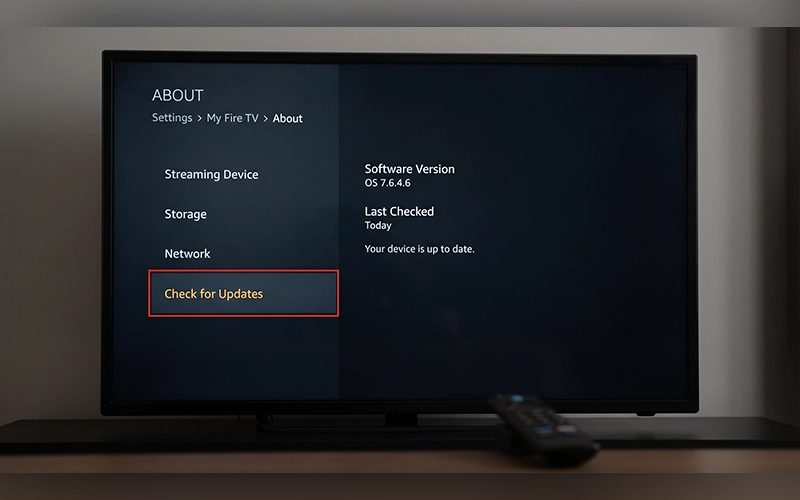
If the update doesn’t help, restart the device from Settings > My Fire TV > Restart. Still stuck? Open Settings > Applications > Manage Installed Applications, pick the app that keeps failing, then choose Clear cache and Force stop.
How to Avoid SSL Errors Later
Turn on automatic updates for your phone, browser and apps so you never fall behind on encryption standards. Also avoid logging in to banking or shopping accounts on public Wi-Fi, where tampering is more likely. Be wary of configuration profiles or certificates you don’t recognize, too, because they can reroute your traffic.
Conclusion
An SSL error means your device couldn’t verify a site’s identity and shut the connection to protect you. Start with your clock, then your cache and your network. If the problem stays, it’s most likely on the website’s end, so leave it alone and check back later.
Frequently Asked Questions
Is an SSL error dangerous?
The error itself isn’t, but ignoring it can be. Clicking “Proceed anyway” on a banking or shopping site means your details could travel unprotected, so don’t do it on pages where you enter payment information.
Why do I get an SSL error on only one site?
That points to the site’s own certificate, such as an expiry or a name mismatch. Your device is working fine. Try again later or let the owner know.
Can I fix an SSL error that comes from the website’s side?
No. Only the site owner can renew or reconfigure a certificate. Your options are to wait or to contact them.
Can a VPN cause an SSL error?
Yes. A VPN sends your traffic through its own servers, and a misconfigured one can present a certificate your device doesn’t trust. Disconnect it and reload the page. If the error disappears, switch to another server or contact the provider.
Why do I only get an SSL error on public Wi-Fi?
Hotspots in cafés, airports and hotels often hold you on a sign-in page that interferes with secure connections. Finish the network’s login, then reload. If the warning stays, move to mobile data.
Will an SSL error go away on its own?
It depends on the cause. A website’s expired certificate clears once the owner renews it, while a problem on your device stays until you fix it.
What is the difference between SSL and TLS?
For you, very little. SSL is the older protocol and TLS replaced it, but the old name stuck, so the error is still called an SSL error.
How to check if a website has a valid SSL certificate?
Click the padlock or site-information icon beside the address, then open the certificate details. You’ll see who issued it and when it expires.
For more articles like this, visit our site: https://factbreaker.com/