

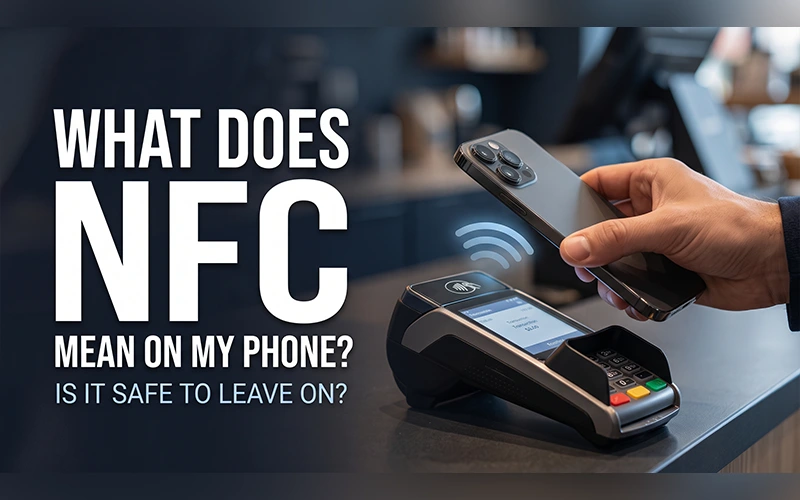
You’ve probably noticed the letters NFC in your settings and scrolled right past them. Most people do, yet you likely use the feature every week, whenever you tap your phone at a checkout counter. If you’ve ever typed “what does NFC mean on my phone” into Google, this guide explains what it is, what it can do, how to control it, and why it sometimes acts up on its own.
What NFC Stands For
NFC is short for Near Field Communication. It’s a wireless technology that lets two devices exchange small bits of data when they’re almost touching, usually within 4 centimeters (about 1.5 inches).
Bluetooth and Wi-Fi need passcodes, menus, or pairing steps. NFC skips all of that, and the connection starts the moment two devices meet.
It works through a small magnetic field. Your phone’s NFC chip creates the field, and a passive tag or card draws just enough power from it to reply. That’s why a paper-thin sticker with no battery can still hand information to your phone.
Your phone can use this feature in two different ways. As a reader, it scans tags and cards such as a transit pass or a smart poster. As a card, it stands in for your bank card at a payment terminal.
NFC on Android and Samsung Phones
If you’re an Android user asking, “What does NFC mean on my phone Android?” the answer is simple. It’s a tiny radio chip built into the hardware, and on a Samsung or any other Android device it lets the phone talk to payment terminals, smart tags, and other phones without cables or extra apps.
Most mid-range and flagship models include the chip, while some budget phones skip it. When NFC is switched on, some Android phones, including many Samsung models, show a small N icon in the status bar, which is a quick way to confirm it’s active.
Does a T-Mobile Plan Change Anything?
Some T-Mobile users ask, “What does NFC mean on my phone T-Mobile?” and assume the carrier is involved. It isn’t. T-Mobile only provides your cellular service, while NFC is a free feature of the phone’s hardware.
That’s why it keeps working without cell signal or Wi-Fi. If tapping stops working after using Airplane Mode, check whether NFC is enabled, as some phones may turn it off when this mode is activated. If NFC is missing altogether, the cause is your phone’s model, not your plan.
Everyday Things You Can Do With NFC
You might already be following a few of these practices without being aware of them.
- Contactless payments: Tap to pay at a store using Google Wallet, Apple Pay, or Samsung Wallet.
- Public transit: Use your phone as a digital ticket by tapping it on a fare gate.
- Quick pairing: Hold your phone against a compatible Bluetooth speaker or headphones, and they connect without a trip through the menus.
- Tag scanning: Tap a smart poster, business card, or product label to open a link, pull up a restaurant menu, or trigger a smart-home action.
How Can I Enable NFC on My Phone?
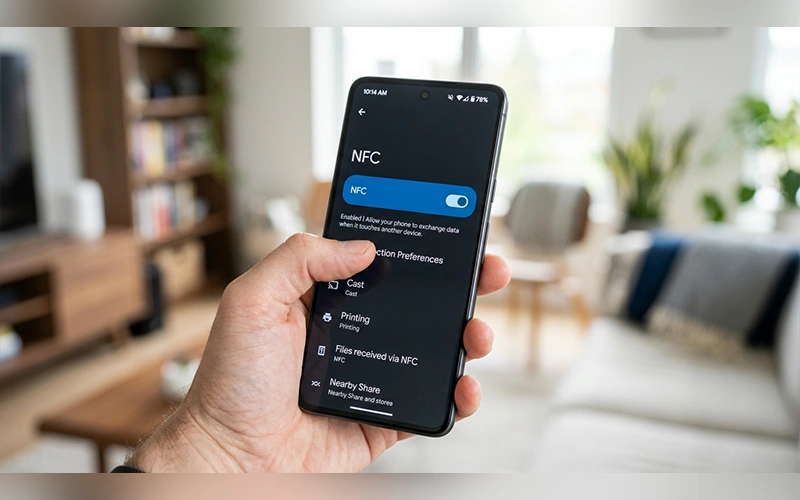
To enable NFC on an Android device, expand the Quick Settings panel by swiping down twice from the top edge, then select the NFC toggle if it is available. If it isn’t there, open Settings, go to Connections (or Connected Devices), and switch NFC on. On Samsung phones, the option is labeled NFC and contactless payments, and on Pixel phones the path is Settings > Connected devices > Connection preferences > NFC.
For additional instructions on enabling NFC and setting up contactless payments, see Android’s guide to turning on NFC.
iPhones work differently. On the iPhone 7 and newer, NFC runs quietly in the background and can’t be switched off by hand. It stays idle until you pay with your wallet or hold the phone near a tag.
How Can I Operate NFC on My Phone?
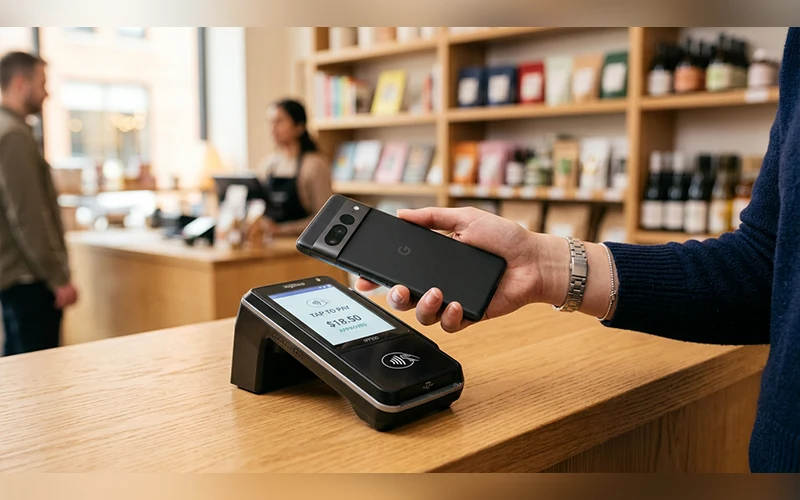
Once NFC is on, a tap takes about a second. Unlock your screen, then press the middle-to-upper part of the back of your phone against the reader and hold it there until you feel a vibration or hear a chime. That’s usually where the antenna sits, so tapping with the bottom edge of the phone often fails.
To make payments, you must first add a payment card to your phone’s wallet app. Look for the contactless symbol, four curved lines, on the terminal to confirm it accepts taps.
Should NFC Be On or Off on My Phone?
For most people, on. The range is so short that someone would practically have to touch your phone to reach it, which makes remote snooping extremely unlikely. Wallet apps also send a unique token instead of your real card number, and they ask for a fingerprint, face scan, or passcode before sending anything. Some Android devices offer an NFC option that only works when the phone is unlocked.
If you ever lose your phone, Find Hub on Android or Find My on iPhone lets you lock it or remove your cards remotely, so a lost phone doesn’t turn into a payment risk.
Battery drain isn’t a real concern either. NFC uses a small pulse of power only at the moment it reads something.
If you want to monitor your phone’s overall battery condition, read our guide on how to check battery health on Android.
Turning it off makes sense if you never tap to pay or you keep getting accidental tag alerts, which the next section explains how to stop.
Why Am I Getting an NFC Tag on My Phone?
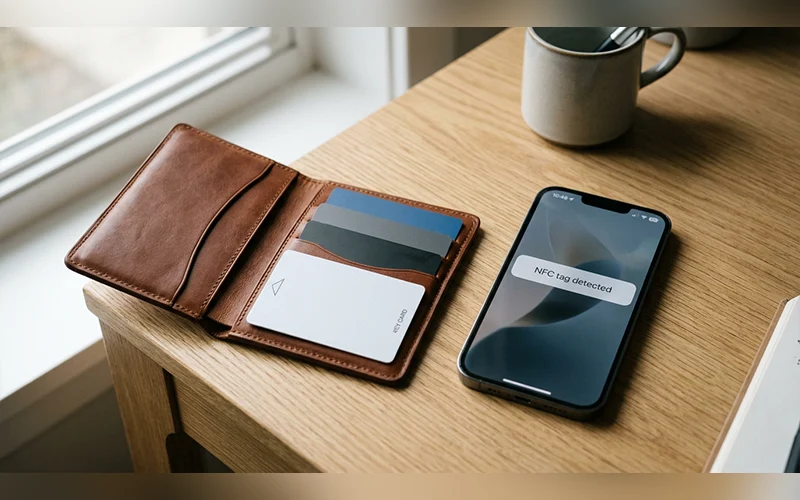
A message like “New tag scanned” or “Tag collected” means the back of your phone is touching a chip. Your device scans the tag and displays an alert once it detects it successfully.
The usual culprit is a credit card, hotel key, transit pass, or passport tucked into a wallet case. A card sitting on the desk under your phone can trigger it too. Some car mounts and desk stands also hide a small NFC tag meant to launch an app, so the alert may only appear there.
To stop the alerts, take the cards out of your case, keep them away from the back of the phone, or switch NFC off in settings. It’s also smart to ignore any prompt from a tag you don’t recognize, since someone can program a sticker to open a link you didn’t ask for.
What to Do When NFC Stops Working
Start with the simplest fixes. Power cycle your device, then switch NFC off before enabling it again. If you use a thick case or one with a metal plate, take it off, because both can block the signal. Magnetic rings and stick-on card holders can do the same.
Next, install any pending system update and wipe the back of the phone clean. When transactions keep getting declined, check your phone’s NFC options and select your main payment app as the default wallet. A declined payment can also come from the card itself, so try removing and re-adding it before blaming the hardware.
Final Thoughts
So what does NFC mean on my phone in everyday terms? A quick, safe shortcut for payments, travel, and pairing that needs no setup once it’s on. Leave it enabled and let it save you a few seconds at every checkout.
Frequently Asked Questions
Is NFC faster than Bluetooth?
No. NFC moves data slowly, at a few hundred kilobits per second at best, far below Bluetooth or Wi-Fi. Its strength is instant setup rather than transfer speed, which is why it’s often used to start a faster connection instead of carrying the data itself.
How do I find out if my phone supports NFC?
If you’ve searched for “what does NFC mean on my phone,” you can also check whether your device supports it by opening Settings and searching for “NFC.” If nothing appears, check your phone model’s specifications on the manufacturer’s website.
What is the difference between NFC and RFID?
NFC is a specialized branch of RFID that works at 13.56 MHz over very short distances. Standard RFID covers many frequencies and longer ranges, such as warehouse inventory and toll tags.
Can I write my own NFC tags?
Yes. Buy blank NFC stickers and use a free app such as NFC Tools to store a link, Wi-Fi login, or automation on them. Android phones and recent iPhones can both do this through apps. A typical sticker holds only a short link or a few lines of text.
Can NFC unlock my car or front door?
On supported models, yes. Digital car keys in Google Wallet or Apple Wallet work with compatible vehicles, and some smart locks and hotel systems accept a phone tap. Support depends on the car or lock brand.
Can I send files between two phones using NFC?
Not directly anymore. Android 10 discontinued the Beam feature that previously allowed users to share files through NFC. Quick Share replaced it and moves files over Bluetooth and Wi-Fi.
Can iPhones read NFC tags?
Yes. The iPhone XS, XR, and newer models read tags in the background whenever the screen is on. The iPhone 7, 8, and X need a tag-reading app.
Does NFC work when my phone is locked or turned off?
If you’re wondering “what does NFC mean on my phone” and whether it works while locked, most contactless payments require your phone to be unlocked, although some exceptions apply. A fully powered-off phone generally cannot use NFC, but some iPhones can support Express Transit cards for a limited time after the battery dies.
For more articles like this, visit our site: https://factbreaker.com/