

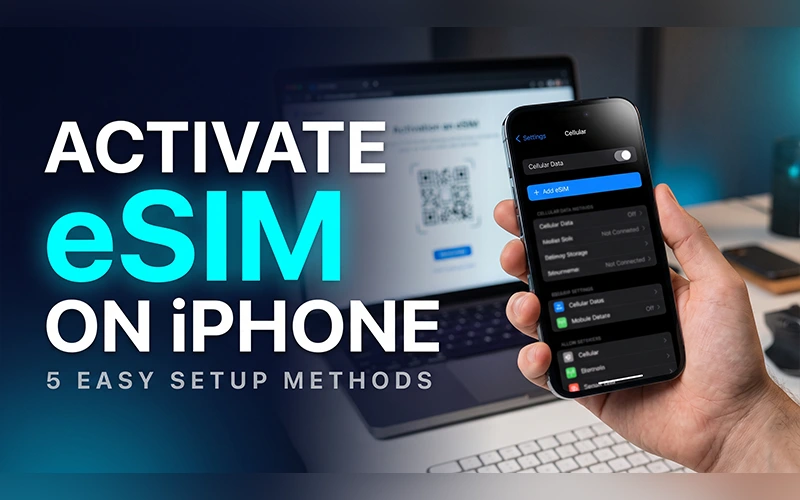
Swapping a SIM card usually means hunting for the ejector pin, hoping the tray doesn’t snap, and trying not to lose a card smaller than your fingernail. An eSIM skips all of that. Your plan lives inside the phone, and setup takes a few minutes on screen. This guide explains how to activate eSIM on iPhone with every method Apple supports, plus fixes for the errors people run into most.
Which Method Should You Use?
Match your situation to a row, then jump to that section.
| Method | Best for | What you need |
| Carrier QR code | A new plan bought online | QR code from your carrier, Wi-Fi |
| Carrier push | A phone bought with a contract plan | Carrier to assign the eSIM to your number |
| Quick Transfer | Upgrading from an older iPhone | Both iPhones nearby, Bluetooth on |
| Convert to eSIM | Moving off a physical SIM | A carrier that supports conversion |
| Android transfer | Switching from Android | iOS 26 or later, compatible carrier |
| Carrier app or IMEI push | Old phone lost or broken | Carrier account and an identity check |
Which iPhones Support eSIM?
Every iPhone from the XS onward supports eSIM. What differs between models is how many lines they can run and whether a SIM tray exists at all.
The iPhone 13 was the first to run two eSIMs at the same time, or one eSIM alongside a physical nano-SIM. If you are working out how to activate eSIM on iPhone 13, any method in this guide works, and you can keep your existing card as the second line.
Apple went further with the iPhone 14. US models ship without a SIM tray, so a digital method is the only option. Anyone figuring out how to activate eSIM on iPhone 14 should have a QR code, a carrier app, or a nearby old iPhone ready before setup day. Later US models follow the same eSIM-only design, and the iPhone 17 can often offer your plan during first boot or through Settings > Mobile Service > Add eSIM. Outside the US, many models still include a tray, and models sold in mainland China don’t support eSIM at all.
How to confirm your phone is eSIM-ready
Open Settings > General > About and scroll down. An EID entry, which is a long ID number, means your phone has eSIM hardware.
Is your iPhone carrier-locked?
On the same screen, check Carrier Lock. It should read “No SIM restrictions.” A locked phone only accepts plans from the carrier that locked it, so a profile from any other network will be refused. Your carrier can confirm the status in a short chat or call. If you are buying a used iPhone, run this check before you pay.
Before You Start
A little preparation prevents most failed attempts.
- Update iOS under Settings > General > Software Update.
- Connect to a stable Wi-Fi network.
- Confirm that your carrier offers eSIM on your plan. Availability depends on your country, carrier, and plan type, and some prepaid or older plans don’t include it.
- For additional details about supported activation methods and setup requirements, see Apple’s official guide to setting up cellular service on iPhone.
- Keep your QR code, carrier app login, or account details within reach.
Scanning a Carrier QR Code
This is the route most people take after buying a plan online or receiving an email from their provider. If you want to know how to activate eSIM on iPhone from QR code, the whole process takes only a few taps.
- Open the Camera app and point it at the QR code.
- Tap the Cellular Plan Detected notification.
- Tap Continue, then choose Add Cellular Plan.
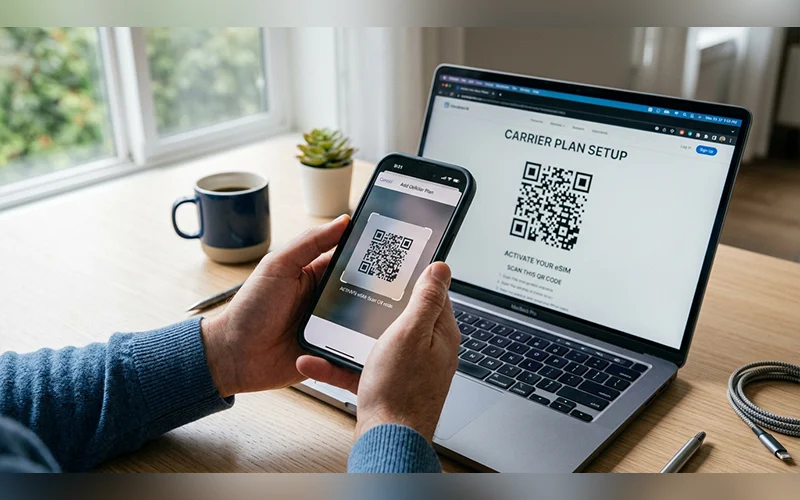
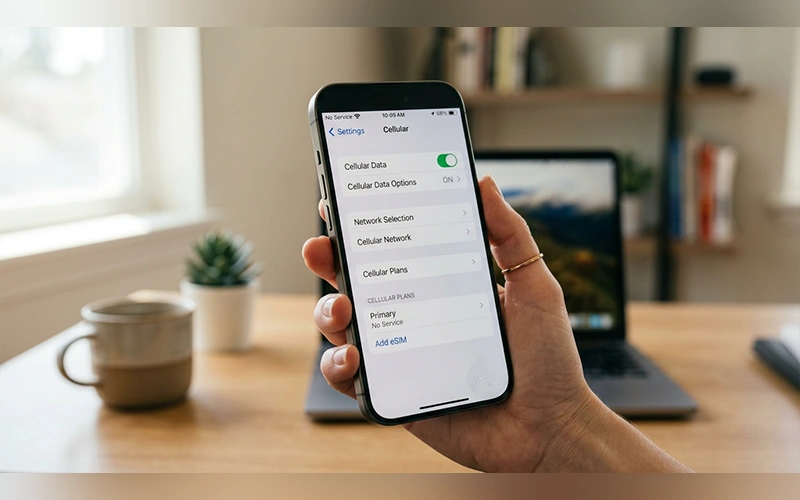
You can also go through the menu: Settings > Cellular > Add eSIM > Use QR Code. This opens a built-in scanner, which helps when the Camera app doesn’t react. Some regions label Cellular as Mobile Service, but the options inside are identical.
If the code won’t scan
A code displayed on the same iPhone can’t be scanned by its own camera. Save the image to Photos, open it, then touch and hold the QR code until the plan prompt appears. If that fails, go to Add eSIM > Use QR Code > Enter Details Manually and type the SM-DP+ address and activation code from your carrier. Some carriers also give a confirmation code to enter at the end.
Letting Your Carrier Push the eSIM to Your Phone
Sometimes there is no code to scan. If you bought your iPhone with a plan directly from a carrier, or the carrier assigned an eSIM to your number digitally, the phone may already be waiting for you.
On a brand-new device, turn it on and follow the setup prompts. If you requested the eSIM after setup, look for a notification reading Carrier Cellular Plan Ready to Be Installed. You can also open Settings and tap the same banner at the top of the screen. Tap Continue and the plan installs.
This is the smoothest option for contract phones, because the carrier handles the technical details. If you are sorting out how to activate eSIM on iPhone 15 bought through a carrier, check for this banner before doing anything else. When it doesn’t appear, ask the carrier to resend the activation.
Moving an eSIM Between iPhones
Apple’s eSIM Quick Transfer moves your number without contacting your carrier. It needs iOS 16 or later on both phones and a carrier that supports it.
- Place both iPhones close together, switch on Bluetooth, and unlock them.
- On the new iPhone, open Settings > Cellular > Add eSIM (or Set Up Cellular).
- Pick the number you want to move. If it isn’t listed, tap Transfer From Nearby iPhone.
- Approve the transfer when the prompt appears on the old iPhone.
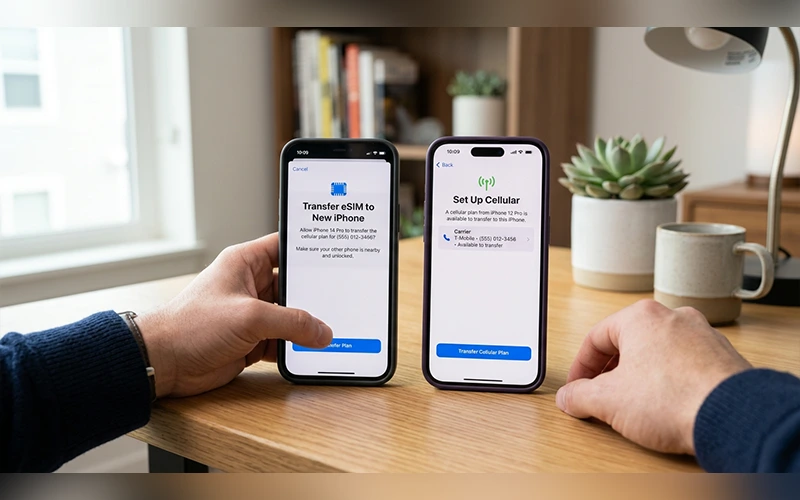
The old phone loses the line once the transfer finishes, so there is nothing to remove manually. If your number never appears in the list, your carrier may not support Quick Transfer yet, so ask for a QR code instead. Upgrading is where this feature helps most. For how to activate eSIM on iPhone 17 as a replacement for an older model, Quick Transfer is usually the fastest route.
Converting a physical SIM to eSIM
If your current iPhone uses a physical card, open Settings > Cellular and look for Convert to eSIM. It appears only when your carrier supports conversion. Follow the prompts, and the physical card stops working once the eSIM is active.
Coming Over From Android
Until recently, leaving Android meant calling your carrier. With iOS 26 and later, Apple supports direct transfers between platforms when your carrier is compatible, which is how to activate eSIM on iPhone from Android without a support ticket. Update both phones first.
- Keep both phones next to each other.
- On the iPhone, go to Settings > Cellular > Add eSIM.
- Select Transfer from Android. A QR code appears on the iPhone.
- Scan it with the Android phone’s camera.
- Choose the number on the Android device, tap Transfer, and follow the pairing prompts.
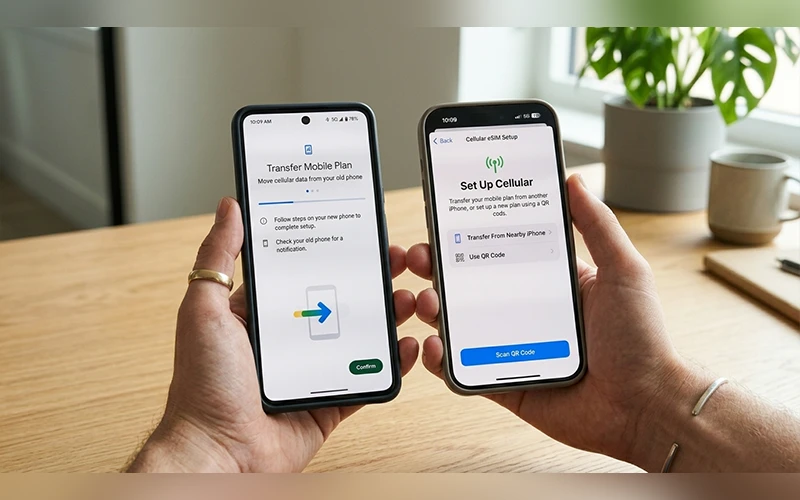
If your carrier isn’t supported, the option may not appear. Ask them to issue a fresh eSIM QR code instead.
When the Old Phone Is Gone
A lost, cracked, or dead phone rules out proximity transfers, since both devices must be present. Many people ask how to activate eSIM on iPhone without old phone, and the answer is that your carrier becomes the bridge. You have two practical options.
Use the carrier’s app. Download the official app from the App Store, sign in, pick your plan, and install the eSIM profile directly.
Ask for a push. Contact your provider from a computer or another phone and give them your iPhone’s IMEI, which is printed on the box and listed under Settings > General > About. They will send an activation profile, and a banner appears at the top of Settings so you can finish setup.
Expect to prove your identity with an ID, an account PIN, or security questions. This step exists to prevent SIM-swap fraud, so it is normal.
Common Problems and Simple Fixes
Most issues come down to a handful of causes.
No Service after setup. Restart the phone, then check Settings > Cellular and make sure the new line is switched on. Toggle Airplane Mode if the signal doesn’t return.
QR code invalid or already used. Carrier codes are generally single-use. If an installation was interrupted, the code may be spent, so ask your provider for a new one.
Activation stuck on “Activating.” Check your Wi-Fi, wait a few minutes, then restart and retry. A hang that persists usually points to a problem on the carrier’s side.
No mobile data. Open Settings > Cellular, tap the eSIM line, and turn on Data Roaming if you are abroad. If data still fails, ask your carrier for the correct APN values.
Nothing else works. Try Settings > General > Transfer or Reset iPhone > Reset > Reset Network Settings. This clears saved Wi-Fi networks and VPN settings, so use it as a last resort.
Tips for Managing Your eSIM
Once the plan is live, a few habits keep things tidy.
- Label each line as Personal, Work, or Travel under Settings > Cellular.
- Set a default line for calls, messages, and mobile data so you don’t pay roaming rates by accident.
- Add a travel eSIM before you fly. Local data plans are often far cheaper than roaming, and you can install one at home or at the airport gate.
- If your phone struggles with a weak cellular signal and its battery drains faster than usual, read our guide on why your phone battery drains fast to learn about the common causes and possible fixes.
- Think before deleting a profile. Once removed, most eSIMs can only come back through a new QR code from your carrier.
- Keep your confirmation email until you have tested it: make a call, send a text, and load a page on mobile data with Wi-Fi off.
Final Thoughts
Once your phone is unlocked, updated, and online, activation takes only a few minutes. If a profile ever stalls, your carrier can reissue it, so keep their contact details handy.
Frequently Asked Questions
Do I need Wi-Fi to activate an eSIM?
A stable internet connection is important when learning how to activate esim on iphone, because the profile downloads from your carrier. Wi-Fi is the most reliable choice, but an existing mobile data connection may also work.
How many eSIMs can an iPhone store?
Apple says an iPhone can store eight or more eSIM profiles, though only one or two lines can be active at once, depending on the model.
Can I use an eSIM and a physical SIM together?
Yes, on models with a SIM tray. The physical card and the eSIM then work as two active lines.
Can I switch back to a physical SIM?
Yes. Ask your carrier for a physical card, and they will move your number to it and disable the eSIM.
How long does eSIM activation take?
Usually a couple of minutes. Occasionally the carrier needs to approve it on their side, which can take several hours.
Is activating an eSIM free?
That depends on the carrier. Many provide eSIMs at no cost, while some charge a small activation or replacement fee.
Why don’t I see the Add eSIM option?
If the Add eSIM option is missing while following how to activate esim on iphone, the usual causes include an unsupported model, outdated iOS, a carrier-locked phone, or a region where your carrier doesn’t offer eSIM. Check these factors, then contact your carrier for help.
Is an eSIM more secure than a physical SIM?
It is harder to steal, since nobody can pull an eSIM out of a lost phone. Your carrier can still block the line if the phone goes missing, so report it quickly.
For more articles like this, visit our site: https://factbreaker.com/