
You need a banner by this afternoon. Stock libraries want a subscription, and a designer can’t start until Monday. This is where the best AI image generator free can save you hours, as long as the tool fits the job.
However, each tool has its own definition of what you can access without paying. Each tool below is judged on three things: how much you can generate for free, whether you need an account, and what it does best. Free tiers change often, so check a tool’s current limits before you build a project around it.
Which Free AI Image Generator Is Worth Using? The Short Answer
The right tool depends on what you want to create. Leonardo AI stands out for its image quality and customization options, Ideogram is a strong choice for designs that need readable text, while Perchance lets you generate images quickly without signing up. For a good starting point, try Leonardo AI first.
Here’s a quick view of the top options before the details.
| Tool | Free allowance | Best for |
| Leonardo AI | 150 tokens, reset every 24 hours | Concept art, fantasy, fine control |
| Ideogram | Daily credit allotment | Posters, logos, typography |
| Adobe Firefly | 10 credits per month | Studio-style product photos |
| Felo AI | No cap on basic generations | Any style, multi-model |
| Meta AI | Uncapped | Portraits, action scenes |
| Perchance | No limits | Fast batches |
| Raphael AI | Unlimited in Basic Mode | Photorealism |
| FreeGen | No limits | Speed, custom aspect ratios |
What “Free” Really Means Before You Pick a Tool
Free plans follow a few patterns, and knowing which one stands behind your pick saves a lot of frustration.
- Credit plans give a fixed allowance that refreshes daily or monthly. They offer the most control, but one long session can empty them.
- Ad-funded tools offer free access but may c ome with frequent ads, waiting times, and limited customization.
- Freemium plans let users generate content at no cost while charging for faster processing and access to more advanced models.
- Community plans stay free because your images appear in a public gallery.
Before committing to any tool, run five checks: does the download carry a watermark, which aspect ratios are offered, how long the queue gets at busy hours, how well the tool spells words inside images, and what the terms say about reuse.
Best AI Image Generator Free No Sign Up: Tools That Just Open and Run
You can use them directly in your browser without providing an email address or payment details.
FreeGen: Fast, Flexible Shapes
FreeGen runs on the Z-Image Turbo engine, which gives quick, detailed results and lets you choose ratios like 16:9 and 9:16. With no account in the way, it’s a sensible first stop when a deadline is close.
Craiyon: Simple, but Slow
Craiyon also skips the login. The price is ads and slower generation on the free tier, so it suits casual experiments better than rushed work.
AIFreeForever: Many Models in One Place
AIFreeForever offers text-to-image and image-to-image across more than 20 models, with no login and no watermark. It’s useful when you want to see how different models interpret the same prompt.
DeepAI: Classic Styles, Clear Image Rights
DeepAI is a long-running browser generator with several art styles. Its images come with public-domain rights and no mandatory sign-up, which is a rare pairing.
One warning: plenty of sites advertise “no sign up” and then ask for an email after the first image or hide a watermark in a corner. Whichever tool you pick, run one throwaway prompt before trusting a site with real work.
Staying Safe on Account-Free Sites
Skipping the account doesn’t remove every risk. Avoid uploading personal photos, client files, or anything confidential to image-to-image tools, because you can’t see how long a site keeps what you send. Stick to text prompts that contain no private details. Leave any website that requires you to install extra software or a browser add-on to get results. A reliable tool should run directly in your browser without requiring additional downloads. Ads styled as “Download” buttons are a common trap on ad-supported pages, so check which button you’re clicking.
Unlimited Free AI Image Generator: What’s the Catch?
Endless generation does exist, but it usually runs on browser caching or ad support rather than generosity. Expect trade-offs in speed or polish.
Perchance: Built for Big Batches
Perchance lets users generate content without daily usage caps, watermarks, or the need to register an account.
It’s built for volume, so you can draft a pile of artwork, cartoons, and anime in seconds and keep the strongest few.
Raphael AI: Scene-Aware Basics
Raphael AI’s Basic Mode is unlimited with no sign-up or card. It routes each prompt to a suitable model based on the scene and can produce up to four images at once, so you can compare results in one go. It’s a good fit for photorealistic scenes.
NoteGPT: Flexible Styles, Several Engines
NoteGPT offers image generation without requiring an account or imposing a usage limit. It supports multiple AI models, including Gemini 3, and provides customizable prompt options for creating marketing graphics, blog banners, and other visual content.
Mage Space: Open-Source Models, No Cap
Mage Space gives limitless basic rendering on foundations like Stable Diffusion. Paid “Gems” only buy faster speed tiers, so the core stays free. Choose it if you enjoy testing different models.
So what’s the catch? Mostly time and polish. Ad-supported, login-free tools tend to be slower, and they give you less say over fine detail. That works for rough drafts or simple thumbnails, but professional projects often benefit from tools that require a brief account setup before you can access their full features.
Free Tools Worth Making an Account For
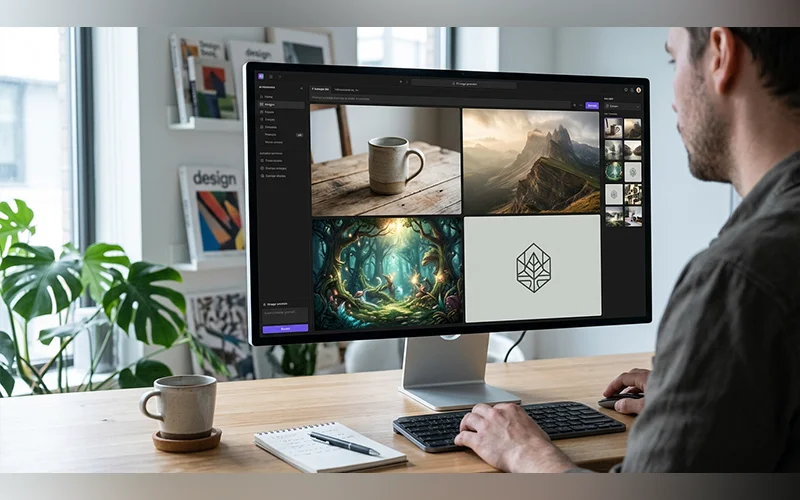
An account buys control, editing, and consistency. These earn the extra step.
Leonardo AI: Top Free AI Image Tool for Creative Control
Leonardo AI leads on photorealism, character consistency, and fine-tuning. Image-to-image workflows, canvas editing, and community models give you more steering than most free tools allow, and the daily allowance suits steady iteration.
Ideogram: Best AI Image Generator Free for Text
Posters, t-shirt designs, and logos with readable lettering are where Ideogram earns its place. It handles spelling and font formatting far better than older diffusion models.
Adobe Firefly: Editing First
Firefly shines at professional layouts, photorealism, and generative fill, so it’s a strong choice when you’re fixing or extending an image rather than starting from nothing. Monthly credits suit occasional use.
Canva AI: Easiest Start for Beginners
Canva puts text-to-image directly inside its design templates, so you can generate a picture and finish a social graphic in one place. The free plan has restrictions, but it takes very little time to learn.
Google Gemini: Quick and Built In
If you already live in Google’s assistant, Gemini’s Nano Banana feature is the quickest option to reach for. It’s fast and does well with text inside images.
Meta AI: Characters That Stay Consistent
Meta AI keeps a character’s identity intact across different scenes, styles, and settings without elaborate prompting. It’s free across Meta’s apps and on the web.
Recraft: Clean Vectors and Brand Assets
Recraft is built to export clean vector graphics, flat icons, and brand assets instead of standalone digital paintings. Designers will appreciate the generous free plan.
Felo AI: One Prompt, Five Models
Felo AI reads a plain-language prompt and routes it to one of five specialized models, including Nano Banana Pro for flat vector work, GPT Image 2 for high-end photography, and Grok Imagine. It’s the right option if you’d rather not choose a model yourself, and basic generations have no usage cap.
Combining Free Tools Into One Workflow
You don’t have to stay loyal to one platform. A practical chain stretches every free allowance:
- Draft ten or so rough ideas in a batch-friendly tool like Perchance, where mistakes cost nothing.
- Move the strongest concept into Leonardo AI or Ideogram and recreate it with more control or readable text.
- Complete the design in an editing tool by adding text, adjusting platform sizes, and exporting.
This also makes your setup resilient: when one daily limit runs out, another tool is ready.
Which Tool Fits Which Job
Choosing the best AI image generator free for your task is quicker with a few shortcuts:
- Social posts: Canva AI, because layout and sizing are handled together.
- Realistic photos: Leonardo AI for control, Raphael AI if you want no account.
- Logos and branding: Ideogram for wordmarks, Recraft for vector files.
- Anime and digital illustrations: Perchance for quick concepts, Leonardo AI for refined results.
Can You Use Free AI Images Commercially?
Free doesn’t automatically mean cleared for business use, and even the best AI image generator free can carry restrictive terms. Firefly is trained on legally safe datasets, which makes it the cautious option for commercial work, and Felo AI includes a commercial license. Recraft’s free plan makes outputs public, which matters for anything confidential. Everywhere else, read the terms before putting an image on a product page, ad, or client site, and save a dated copy of them.
The platform where you publish has its own rules too. Many social networks and video sites ask creators to label AI-generated images, and some stock marketplaces restrict AI submissions, so read the destination’s policy as well as the generator’s. A license from the generator you chose doesn’t override either.
Prompts That Get Better Results
Prompt quality matters more than which best AI image generator free tool you open. Build prompts from five parts: subject, setting, style, lighting, and format.
A broad prompt like “a coffee shop” gives you little control over the outcome. Try “a small corner coffee shop at sunrise, warm window light, wooden tables, photorealistic, 16:9” and the output will land much closer to what you pictured. Change one detail at a time between attempts so you learn what each word does.
Match the Aspect Ratio to the Destination
Choose the shape before you generate; even a strong generator can’t restore detail you cropped away.
- 1:1 or 4:5: feed posts and profile images
- 9:16: Stories, Reels, and Shorts
- 16:9: YouTube thumbnails, blog headers, and slides
Prompt Examples You Can Adapt
- Product shot: “ceramic mug on a marble counter, soft morning light, shallow depth of field, studio photograph, 4:5”
- Logo concept: “sleek fox emblem, clean geometric design, flat vector graphics, two-tone palette, white backdrop, centered composition, brand name ‘Fernwood'”
- Anime scene: “a quiet city alley after dark, glowing shop lights, a girl holding a red umbrella, Japanese animation style, dramatic composition, 16:9”
- Social graphic: “colorful minimalist artwork of an open notebook beside a steaming mug, soft muted tones, clear space above for a title, square format”
Swap the subject, keep the structure, and results from any tool become more predictable.
Mistakes That Burn Through Free Credits
Free plans punish waste, and even a generous allowance runs dry fast if you:
- Use top-quality settings on first drafts instead of final versions
- Regenerate without changing a single word
- Waste a daily allowance on casual experiments when real work is waiting
- Close the tab before downloading, a common slip on account-free tools
Fixing Common Problems in AI Images
- Warped hands or faces: Simplify the scene, remove extra people, and regenerate. If a single imperfection persists in an otherwise strong image, trim the frame or retouch that spot using an editing tool.
- Garbled lettering: Leave the words out of the prompt and add them afterward in a design editor, where spelling is under your control.
- A generic stock-photo look: Replace vague words like “beautiful” with concrete details: materials, time of day, lens, and mood.
- Inconsistent visual styles across images: Repeat the same style description in each prompt and use one tool throughout the entire set.
- Soft or blurry detail: Re-run at a higher quality setting if one exists, or use a separate upscaler on your final pick.
Each fix costs less than regenerating blindly, which protects the allowance of whatever plan you’re on.
Free vs Paid: When to Upgrade
The free version works well for occasional posts, rough concepts, and blog thumbnails. Upgrade when you hit limits every week, need consistent output for a brand, require clear commercial terms, or spend more time waiting in queues than creating. That’s when the best AI image generator free plan has done its job and a paid tier costs less than your lost time.
Final Verdict
Pick two tools from this list, run the same prompt through both, and keep the one whose result needs less fixing. A ten-minute test with your own prompt will reveal your best AI image generator free match better than any ranking, this one included.
Frequently Asked Questions
Do I need a powerful computer to use an AI image generator?
No. These tools process everything on their servers, allowing you to use them through a standard laptop or mobile browser. Performance mainly relies on your internet speed and the service’s current workload.
Why does the same prompt look different in every AI image generator?
Each tool runs its own models trained on different data, so style, detail, and text handling vary even with identical wording. Treat your first result as a starting point, not a verdict on the tool.
Is a longer AI prompt always better?
No. A focused sentence or two beats a paragraph of stacked adjectives, because conflicting details confuse the model. Include a feature only when you can visualize its effect on the final image.
What is a negative prompt?
It’s a list of things you want the image to leave out, such as “blurry, extra fingers, text, watermark.” Not every tool offers a separate field for it, so if yours doesn’t, describe what you do want in positive terms instead.
How do text-to-image and image-to-image differ?
Text-to-image builds a picture from your written description alone. Image-to-image starts from a photo or sketch you upload and reshapes it according to your prompt, which gives you much tighter control over layout and composition.
How can I make AI images look more realistic?
Describe a photograph instead of an artwork: a camera angle, natural window light, and an ordinary real-world setting. Small imperfections, like uneven shadows or a slightly messy desk, read as more believable than a flawless scene.
Who owns the copyright to AI-generated images?
It depends on the country. In the United States, the Copyright Office has said that work created entirely by AI, without meaningful human authorship, generally isn’t protected. Your own edits and creative direction can matter, so for anything valuable, check local law or ask a lawyer.
How do I print an AI-generated image without it looking blurry?
Check your image dimensions before printing. At 300 DPI, each inch requires 300 pixels, meaning an 8×10-inch print should have a resolution of about 2400×3000 pixels. If the image falls short, use an upscaling tool to increase its resolution before printing.
For more articles like this, visit our site: https://factbreaker.com/