



Pick the wrong AI assistant and you lose hours to code that almost works. That is why ChatGPT vs Claude for coding is such a common debate among developers, and why this ChatGPT vs Claude for coding 2026 comparison focuses on practical differences rather than hype. Both tools write good code. They differ in how they handle large projects, code execution, and daily limits.
How This Comparison Works
The comparison draws on public benchmark results, production-test accuracy figures, and recurring reports from working developers. Benchmarks show what a model can do under controlled conditions. Community feedback shows how it behaves inside a tangled, real codebase.
What the Benchmarks Say
Most serious talk about a Claude vs ChatGPT coding benchmark begins with SWE-bench Verified. The test hands a model real issues from open-source GitHub projects and checks whether its fix actually works.
| Metric | Claude | ChatGPT | |
| SWE-bench Verified | 80.84% (Opus) | 74.9% (GPT family) | |
| Functional accuracy in production tests | 95% | 85% | |
Those figures come from one standard setup. Newer frontier models tested with advanced scaffolding score far higher: Claude Opus variants reach up to 97%, and GPT-5.6 Sol follows at 96.2%. Because the two sets of results use different configurations, they should not be read as one continuous scale. At the top end the gap is small, and the scaffolding around a model can matter as much as the model itself.
ChatGPT does lead in some areas, including pure academic logic, document grounding, and math tests such as AIME.
Where Claude Pulls Ahead
Give Claude a vague prompt or a messy problem and it makes the assumptions a senior developer would. It adds error handling without being asked, infers the architecture you are probably aiming for, and keeps the structure clean.
Debugging is its other strength. It explains its logic step by step, documents code inline, and often asks a clarifying question before offering a fix, which keeps you from solving the wrong problem. Its Artifacts feature renders code live beside the chat, so you can watch a component or page work while you refine it.
Where ChatGPT Holds Its Ground
ChatGPT shines when you already know what you want. Hand it a strict specification and it follows it closely, without overthinking or splitting everything into extra modules unless you ask. That makes it quick for prototypes, one-off scripts, and small utilities.
It is also the more versatile tool. If your day moves between code, documentation, spreadsheets, and research, it handles the switches without friction, and Canvas gives longer output a proper editing space. Custom GPTs also let you save project rules or a style guide, so you do not retype them in every chat.
Working From the Terminal
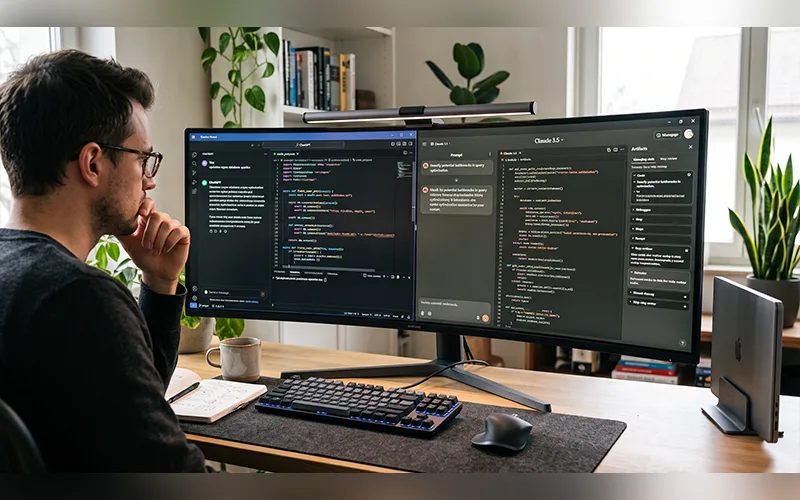
Claude Code runs inside your local directory, reads the repository, edits files, runs tests, and fixes its own mistakes. It also integrates with VS Code and JetBrains, and it can push fixes against real GitHub issues. Separately, Projects in the chat app helps Claude keep a large body of context in view.
Developers often ask for the ChatGPT Claude Code equivalent, and the closest answer is Codex, including its CLI. The real difference is how you work with each. Claude Code behaves like a colleague looking over your shoulder as files change. Codex works in a cloud sandbox: you assign a task, it clones your repository, makes the changes in isolation, and returns a pull request for you to review later. One suits live collaboration, the other suits delegating and walking away.
For a deeper look at how an AI coding agent operates, read OpenAI’s explanation of the Codex agent loop.
Python Work and Data Tasks
The Claude vs ChatGPT for Python coding question depends on the kind of project in front of you. ChatGPT’s Code Interpreter executes your scripts, inspects the results, fixes its own mistakes, and draws charts along the way, so it handles spreadsheets, analysis, and number-heavy tasks with more polish. Claude’s sandbox supports Bash as well as Python, whereas ChatGPT’s is limited to Python, but the data workflow is still where ChatGPT feels more finished.
Claude is stronger on the design side. It drafts modular frameworks, writes clean object-oriented code, and handles intricate logic with more care. If you are structuring an application rather than crunching a dataset, it usually gives you the better starting point.

Gemini, Grok, and Perplexity
Other models fit narrower needs. In a Gemini vs ChatGPT vs Claude for coding test, Gemini trails Claude slightly on accuracy, but its very large context window lets it take in a huge legacy codebase, or even video and audio assets, in a single pass.
Grok is the fast one. A Grok vs ChatGPT vs Claude for coding lineup favors it for speed and live context, since it draws on real-time signals from X. That helps when you are chasing API changes that are not documented yet, though anything found that way deserves a check against official docs.
Perplexity is a different kind of tool. Perplexity vs ChatGPT vs Claude for coding is not a fair fight, because it is not built for writing apps. It earns its place as a research companion for decoding obscure error messages and finding documentation, with cited sources you can verify.
AI tools can also help with creative tasks beyond programming. Explore our guide to the best AI image generators to compare tools for creating images with AI.
Where Copilot Fits
GitHub Copilot vs ChatGPT vs Claude for coding is less of a rivalry than it looks. Copilot is an editor-first tool built around inline autocomplete, and it lets you switch the engine behind it, so you can run Claude Opus, a GPT model, or Gemini Pro without leaving the editor. AI-native editors such as Cursor work in a similar spirit. Many developers use one of these for everyday typing and bring in a standalone assistant for bigger decisions.
Usage Limits and Cost
ChatGPT’s message allowances are generous, so you can keep tweaking a script at high volume without hitting a wall. Claude is stricter. A single complex prompt can consume a large share of its five-hour token window, and long agentic sessions drain it faster still.
If you code with AI for hours at a stretch, check the limits on each paid plan before committing. Opening a separate conversation for every new job and attaching only the relevant files can also help you get more out of Claude’s usage limit.
Privacy and Accuracy Risks
Before pasting proprietary code into any assistant, check your plan’s data-use settings and your employer’s policy. Business and enterprise plans usually offer stronger data controls than free personal accounts.
Both tools can also invent things that sound real, such as a library function that does not exist or a package nobody has published. Confirm every unfamiliar dependency in the official registry before you install it.
Getting Better Code From Either Tool
The assistant matters less than the prompt. State the language and framework version up front. Paste the exact error message along with the smallest snippet that reproduces it. Ask for tests alongside the code, and read every diff before it goes anywhere near your main branch. These habits improve results from every tool in this article.
So Which One Should You Choose?
On the question of ChatGPT vs Claude for coding which is better, developer consensus leans toward Claude for professional work on complex, multi-file projects. ChatGPT is often a more suitable option for analyzing large amounts of data and writing small scripts quickly.
If your budget allows both, use Claude for structure and ChatGPT for execution and data.
Frequently Asked Questions
In ChatGPT vs Claude for coding, is Claude actually better?
For large codebases and careful refactoring, most developers prefer Claude. For data work and quick scripts, ChatGPT often comes out ahead.
Which AI is best for debugging code?
Claude’s step-by-step reasoning suits hard, multi-file bugs. ChatGPT is often faster when you only need a direct fix for a small, well-defined error.
Can I use ChatGPT and Claude together?
Yes, and many developers do. Pasting one tool’s output into the other for a second opinion also catches mistakes.
Which suits beginners better in ChatGPT vs Claude for coding? Both work well. ChatGPT’s flexibility and generous limits make experimenting easy, while Claude’s detailed explanations help you understand why a solution works.
Is AI-generated code safe to use in production?
Treat it like a colleague’s pull request. Run the tests, read the diff, and give extra scrutiny to anything touching authentication, payments, or sensitive data.
Can ChatGPT or Claude work with an entire codebase?
Only within their context limits. Repository-aware tools read the files directly, which is the better route for large projects.
Is ChatGPT vs Claude for coding worth paying for, or are free tiers enough? Both offer free tiers that are fine for learning and small tasks. Regular coding work usually hits message limits quickly, so heavier use calls for a paid plan.
Will AI replace programmers?
There is currently no noticeable sign of that happening. These tools speed up writing, debugging, and refactoring, but someone still has to define the problem, review the result, and take responsibility for it.