



You’ve got a phone, a decent internet connection and a head full of “what ifs.” No office, no investor, no savings worth mentioning. Is that enough? It is, and plenty of people have already proved it.
Starting an online business is less about chasing every new idea and more about choosing a practical model, testing it and sticking with it long enough to learn what works.
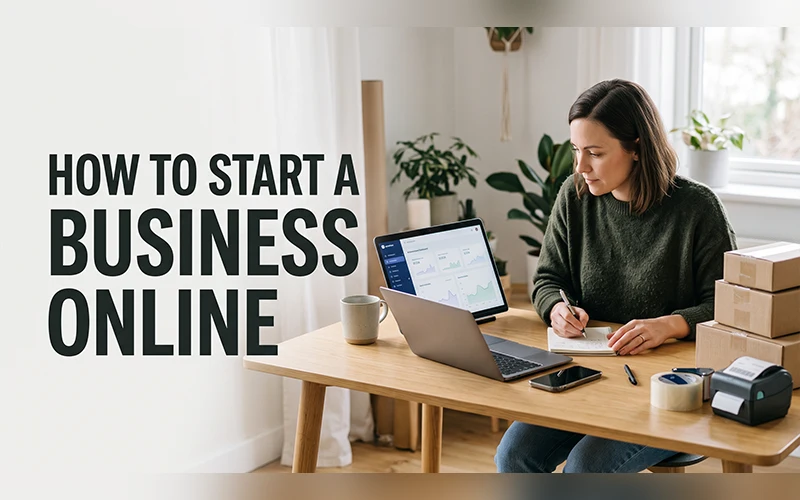
This guide walks you through how to start a business online, from choosing a practical business model and validating your idea to finding your first customers. It also covers 10 online business ideas that require little or no upfront money, with the costs, skills, first steps and earning potential for each.
Before You Start an Online Business
Plenty of advice makes starting an online business sound quick and glamorous. It isn’t. Building something that earns consistently takes testing, patience and steady work. A few honest checks at the beginning can save you months of wasted effort later.
Look at the skills you already have
Think about what friends ask you for help with. Fixing a CV, editing a photo, explaining a maths problem, writing a caption that doesn’t sound boring. Those small favours can point you toward a service people may actually pay for. You don’t need a rare talent. You need something other people find useful and would rather not do themselves.
Count real hours, not wishful ones
Maybe you have two free hours after work, or a whole day on weekends. Either is workable, as long as the plan fits the time. Client work needs regular availability, while building a blog or a channel can be done in small slots.
Expect a quiet first month
Money rarely shows up on day one. You’ll be setting up profiles, learning tools, contacting potential customers and waiting for your first responses. That’s normal. Use the early weeks to learn what works, improve your offer and build momentum. Use the early weeks to learn what works and improve as you go.
Pick one idea and stay with it
Trying three ideas at once can feel productive, but it usually leaves you with three half-finished projects. Start with one model, give it enough time to test properly and use the results to decide whether it deserves more effort. You can always explore another idea later.
How to Start a Business Online in 7 Steps
Starting an online business is easier when you treat it as a process rather than trying to build everything at once. Start with a specific problem, test whether people will pay for a solution, then build only what you need to make your first sale.
1. Choose a Business Model
First, decide how the business will make money. You could sell a service, physical product, digital product, content or recommendations through affiliate marketing. If you’re starting with very little money, a service-based model is often the simplest place to begin because you can sell your existing skills without buying stock.
2. Choose a Specific Customer and Problem
Don’t start with a vague goal such as “I want an online business.” Decide who you want to help and what problem you can solve for them. For example, instead of offering general design services, you could create social media graphics for local restaurants. A specific customer and problem make it easier to shape your offer and find potential buyers.
3. Validate Your Idea
Before spending weeks building a website or creating products, check whether people actually want what you’re offering. Search for competitors, look at what customers are already buying and talk to people in your target audience. If possible, test a small version of your offer and see whether anyone is willing to pay for it.
4. Decide How You’ll Charge
Choose a pricing model that fits the business. Services can be priced by the hour, project or month, while products usually have a fixed price. Include platform fees, payment processing costs, advertising and other necessary expenses before deciding what you need to charge.
5. Build a Simple Online Presence
You don’t need a complicated website to get started. Create a basic page, profile or storefront that explains what you offer, who it’s for and how people can contact or buy from you. Add examples of your work whenever possible. You can improve the presentation later once you know what customers respond to.
6. Set Up Payments and Business Basics
Choose a reliable way to receive payments and keep a record of your income and expenses from the beginning. Depending on where you live and what you sell, you may also need to register a business, handle taxes or meet specific licensing and consumer requirements. Check the rules that apply in your country before operating regularly.
7. Find Your First Customers and Improve
Your first goal isn’t to build a huge audience. It’s to find a few real customers, deliver the work well and learn from their feedback. Contact people who may genuinely need your service, use relevant communities and share useful content that demonstrates what you can do. Once you have evidence that the model works, improve the offer and gradually invest more into it.
10 Easy Online Business Ideas for Beginners

Every idea below follows the same format, making it easy to compare the startup cost, skills, first steps and earning potential. Focus on the models that fit your existing skills, available time and budget rather than choosing one simply because it looks popular.
1. Freelancing: Sell Your Skills
What it is: You do a specific task for a client and get paid for it. Common entry-level options include offering services such as content writing, graphic design, video editing, translation, data entry or website development. or website development. Marketplaces like Fiverr and Upwork bring buyers to you, so you don’t have to chase strangers on day one.
Startup cost: Close to nothing. A laptop or a capable phone, internet and a profile are enough.
Skills needed: One solid skill and the habit of answering messages quickly. Clients forgive average work more easily than silence.
How to start: Choose one service and describe it narrowly. “Logo design for local cafes” is more specific than “I do everything.” Add three sample pieces to your profile, keep your first few prices modest while you build reviews and respond promptly to potential clients. It may take time to receive your first order, so use early projects to improve your portfolio and refine your offer.
Earning scope: YouTube income can come from advertising, Premium revenue, sponsorships, affiliate links and other monetization features. Earnings vary widely by audience, topic, location and the type of content you publish. Monetization eligibility and platform rules can change, so check YouTube’s current Partner Program requirements before relying on ad revenue.
2. Dropshipping Without Holding Stock
What it is: You list products in an online store. When a customer orders, a supplier ships the item straight to them. You never touch the product or rent a storeroom.
Startup cost: Low, but rarely zero. Store platforms charge a monthly fee after a trial period, and you’ll probably want a domain name and a small advertising budget.
Skills needed: Product research, simple content creation and the patience to handle customer complaints.
How to start: Begin by ordering a sample from your supplier. Check the product quality and note how long delivery actually takes, because slow shipping can quickly lead to unhappy customers. Then build a simple store around a small range of products and test them with short videos or other low-cost content before spending heavily on advertising.
Earning scope: The honest answer is that margins are thin, ad costs add up, and many stores earn nothing. The ones that work are run like proper retail businesses, with attention to returns, delivery times and support. Treat it as a serious project, not a shortcut.
3. Print on Demand Stores
What it is: You upload designs, and a partner prints them on T-shirts, mugs, tote bags or phone cases only when someone buys. Services like Printful and Printify handle printing and shipping, and you sell through Etsy or your own store.
Startup cost: Low. Print-on-demand platforms such as Printful and Printify offer free starting plans, while selling through marketplaces such as Etsy can add listing and transaction fees. Check the current charges for your chosen platform before setting your prices.
Skills needed: Basic design ability (Canva is enough), a feel for what people like to wear or gift, and some knowledge of the words buyers type into search bars.
How to start: Pick an audience with a strong identity, such as nurses, gardeners or cricket fans, and make ten designs aimed squarely at them. Write titles using the words those people actually search with. Stay away from famous logos and trademarked phrases, since those listings get removed fast.
Earning scope: Profit per item can be relatively small, so income depends on your pricing, product costs, sales volume and how many designs you build over time.
4. Affiliate Marketing
What it is: You recommend a product or service, and when someone buys through your unique link, you earn a commission. Programs such as Amazon Associates and many software companies’ affiliate programs let creators earn commissions from referred sales.
Startup cost: Nothing. Joining most programs is free.
Skills needed: Honest writing or on-camera explaining, and the ability to earn an audience’s trust.
How to start: Choose a specific topic and create content that helps people make buying decisions, such as comparisons, tutorials or detailed reviews. Research products carefully and be clear about what you have and haven’t personally tested. Disclose affiliate relationships clearly where required. The goal is to build trust first and earn commissions as a result.
Earning scope: It starts slowly and compounds. Commissions vary widely, from a few percent on physical goods to much higher cuts on software and digital courses.
5. Start a YouTube Channel
What it is: You publish videos on a topic you can talk about for years, and earn from ads, sponsorships and affiliate links.
Startup cost: You can get started with just a smartphone and a free video editing tool such as CapCut or DaVinci Resolve.
Skills needed: Consistency matters more than polish. Basic storytelling and simple editing improve with every upload.
How to start: Commit to your first ten videos before checking a single statistic. Early videos are practice, and the channel you’ll be proud of is usually the one that comes after them. Spend real time on titles and thumbnails, since they decide whether anyone clicks. A smartphone is enough to start, while better equipment can come later as the channel grows.
Earning scope: As of October 2026, full ad and YouTube Premium revenue sharing generally requires 1,000 subscribers plus either 4,000 qualified public watch hours in the last 12 months or 10 million qualified public Shorts views in the last 90 days. YouTube also has a lower YPP entry tier at 500 subscribers plus additional activity and watch/view requirements for features such as fan funding and Shopping. YouTube has announced higher ad and Premium entry thresholds for new creators starting February 1, 2027, so check the current YPP rules before applying.
6. Blogging That Earns
What it is: A website where you publish articles on a topic and earn through display ads, sponsored posts and affiliate links.
Startup cost: Free platforms such as Blogger or WordPress.com get you started. A custom domain and paid hosting add a cost, but you can start learning and testing the idea with a free platform.
Skills needed: Clear writing, curiosity and a basic understanding of search engines. Patience helps most.
How to start: Don’t write about “travel” or “health” in general. Write answers to specific questions people type into Google, like “how to renew a passport without an agent” or “best budget laptop for students.” Publish regularly, update older posts when facts change, and study which articles bring visitors. Blogging requires more patience than many service-based options, but a useful article can continue attracting visitors long after it is published.
Earning scope: Search traffic often takes months to build. Once visitors arrive, ads and sponsors pay for attention, while affiliate links (see idea 4) pay for recommendations.
7. Work as a Virtual Assistant
What it is: You support busy business owners remotely by managing inboxes, booking appointments, doing research, updating spreadsheets or answering customer messages.
Startup cost: You can get started without spending money, using only a computer and a reliable internet connection.
Skills needed: Organisation, clear written English, and comfort with Google Docs, Sheets and calendar tools. Reliability is the real product here.
How to start: List the tasks you can do without supervision, then turn them into a one-page service sheet. Reach out to coaches, consultants, real estate agents and small shop owners who are visibly overloaded. Offer a one-week trial so they can see how much time you save them.
Earning scope: Most virtual assistants charge by the hour or take a monthly retainer. Specialising, for example in e-commerce support or podcast management, lets you charge noticeably more than a general assistant.
8. Sell Digital Products
What it is: You create something once and sell it repeatedly: e-books, spreadsheet templates, planners, printable worksheets, photo presets or short courses.
Startup cost: Very low. Platforms such as Gumroad and Payhip can let you start with little upfront cost, while marketplaces such as Etsy charge listing and transaction fees. Etsy currently charges $0.20 per listing and a 6.5% transaction fee, with other fees potentially applying depending on the seller and order.
Skills needed: Real knowledge of a topic and enough design sense to make the product look tidy.
How to start: Solve one narrow problem. A meal planner for hostel students sells better than a “complete life organiser.” Before spending weeks building, ask around ten people in your target group whether they’d pay for it. Make a small first version, release it and improve it with feedback.
Earning scope: There are few ongoing fulfilment costs, which can make each additional sale relatively efficient. The catch is that sales depend on your ability to reach buyers, which means the product is only half the work.
9. Online Tutoring and Teaching
What it is: You teach a subject or skill over Zoom or Google Meet. School subjects, spoken English, exam preparation, coding basics and music are all in demand.
Startup cost: Free tools are enough. A quiet corner, decent headphones and stable internet matter more than any software.
Skills needed: Patience, clear explanation and the ability to adjust to different kinds of learners.
How to start: Choose a subject and level where you feel comfortable and offer a free trial class. Build a simple lesson plan for the first month so students can see progress. Platforms such as Preply and Cambly can send learners your way, and local Facebook groups work well for finding students nearby.
Earning scope: You’re paid by the hour, so income is capped by your time at first. Group classes and recorded lessons are how tutors grow beyond that limit.
10. Social Media Management for Small Brands
What it is: You run social media accounts for small businesses: planning posts, writing captions, replying to messages and reporting basic results.
Startup cost: Free. Canva, Meta Business Suite and free scheduling tools cover most of the work.
Skills needed: Content ideas, good caption writing, simple design and the diplomacy to work with owners who have strong opinions.
How to start: Find local clinics, boutiques or bakeries with neglected pages. Redo one page as a sample, then pitch a monthly package with a clear number of posts. Deliver the content calendar before the month begins, so the owner feels organised from the start. Many small businesses need consistent social media activity but don’t have someone available to handle it, creating an opportunity for a reliable freelance service.
Earning scope: Monthly retainers give steady income. How many clients you can handle depends on the amount of work included in each package and how efficiently you work.
How to Start a Business Online With No Investments
The cleanest way to approach this without capital is to swap money for effort. Everything below depends on your time, not your wallet.
Choose a service before a product
Services need no packaging, no storage and no advance spending. Freelancing, virtual assistance and tutoring are the clearest examples, because the only thing you put in is work.
Build a free portfolio
Prospects want proof, not promises. A shared Google Drive folder, a free Canva website or a pinned LinkedIn post can all act as a portfolio. If you have no past clients, do two sample projects for a friend’s business and ask for an honest testimonial in return.
Find your first two or three customers
The fastest way to learn is to talk to a real buyer. Begin with people who already trust you: former colleagues, classmates, relatives with small shops. Post what you offer on your WhatsApp status and in relevant Facebook groups, then send a handful of personalised messages every day. A personalized message that uses the business’s name is much more likely to receive a response than a generic message sent to everyone.
Reinvest only after money arrives
The first payments are tempting to spend. Put a portion back instead: a better microphone, a paid design tool, a short course in the skill that earns you money. That’s how a no-budget start slowly turns into a business with a budget.
How to Start a Business Online for Free: Tools You Need
The good news is that nearly everything a beginner needs has a free version. Most beginner tools have free versions, so you can keep your initial expenses low. Here’s a practical toolkit.
| What you need | Free option | What it’s good for |
| Design | Canva | Logos, social posts, thumbnails |
| Documents and storage | Google Docs, Sheets and Drive | Proposals, invoices, client folders |
| Customer chat | WhatsApp Business | Product catalog, quick replies, labels |
| Website | Google Sites or WordPress.com | A simple page with your services and contact details |
| Email marketing | MailerLite or Mailchimp free plans | Newsletters to your first subscribers |
| Scheduling | Calendly free plan | Booking calls without back-and-forth messages |
| Task tracking | Trello or Notion | Keeping orders and deadlines organised |
Free plans come with limits, like subscriber caps or a website address that carries the platform’s name. Upgrade only when a limit starts costing you customers, not before.
For learning, YouTube tutorials, HubSpot Academy, freeCodeCamp and Google’s free marketing courses cover a surprising amount. One hour of practice beats three hours of watching.
Common Mistakes Beginners Make
Chasing tools instead of customers
You can easily lose several days deciding on branding details such as your logo, typography, and website design. Plenty of beginners do exactly that, while nobody has been told their business exists. Speak to one potential buyer before you finish the branding.
Believing the “get rich quick” pitch
If someone promises guaranteed income, pushes you to join today or asks for a big fee to reveal a secret method, walk away. Anyone promising thousands in a week is selling a dream, not a plan. Real businesses grow through repetition.
Forgetting costs when you set prices
A rate that looks good can leave very little after platform fees, payment charges, ad spend and your own hours. Work out the costs hiding behind a price before you quote anyone.
Ignoring payment and tax basics
Whichever route you take, decide early how you’ll receive money and keep a simple record of every payment. Check your country’s rules on declaring online income. It’s boring now and expensive to ignore later.
Copying someone else’s business exactly
Seeing a stranger succeed with an idea doesn’t mean a carbon copy will work for you. Take the model, then add something of your own: a specific audience, a local angle, a better level of service. Look-alike businesses blur together, and that’s one reason so many beginners stall after the first burst of excitement.
How to Choose the Right Idea for You

Now that you’ve seen how to build an online business in ten different ways, the real question is which one suits you. Use this table as a starting point.
| Your situation | Best-fit ideas |
| You already have a skill like writing, design or editing | Freelancing, virtual assistance |
| You’re creative and enjoy making things | YouTube, print on demand |
| You enjoy writing and research | Blogging, digital products |
| You like explaining things to people | Tutoring |
| You’re organised and good with people | Virtual assistance, social media management |
| You like testing, selling and numbers | Dropshipping, affiliate marketing |
Once you have a shortlist, put each idea through three quick checks. Could it realistically bring a first payment within 30 days? Would you still enjoy it after a year of doing it almost daily? Do you already have the equipment, or can you borrow it? An idea that passes all three deserves serious consideration. One that passes two can remain on your shortlist.
Final Thoughts
Starting online does not require a perfect idea. What matters is choosing a practical model that fits your skills, resources and available time. The ten ideas above give you enough options to choose a direction and take a realistic first step.
So here’s your next step. Choose one idea today, open a notepad and write down the first task you can finish in the next hour. Make a profile, message one person or sketch a first design, then do it. Every online business began with a small step like that, From there, focus on improving the offer, finding customers and learning from what works.
Frequently Asked Questions
Can I really begin without any investment?
Yes. Time and effort become your investment, though you may still pay for small things like internet data. Starting with time instead of cash works best with service-based ideas, because they don’t depend on stock or ads.
How soon can I earn after learning how to start a business online?
It depends on the model and how quickly you find customers or build an audience. Service-based work can produce income sooner, while content and audience-driven models usually take longer.
What’s the easiest idea for a beginner?
The easiest is the one that matches something you already do well. For one person that’s writing, for another it’s explaining maths to school students. Choosing an idea that matches your skills can make the process much easier.
Do I need a degree or experience?
No. Clients and customers care about proof of work more than certificates. A few areas, such as exam coaching or anything regulated, may ask for credentials, so check before you commit.
Can I really begin without any investment?
Yes. Time and effort become your investment, though you may still pay for small things like internet data. Starting with time instead of cash works best with service-based ideas, because they don’t depend on stock or ads.
How soon can I earn after learning how to start a business online?
It depends on how directly you sell. Working with individual clients can help you start generating income within a few weeks. When you build an audience first, it takes longer. Beyond that, anyone quoting an exact timeline is guessing.
What’s the easiest idea for a beginner?
The easiest is the one that matches something you already do well. For one person that’s writing, for another it’s explaining maths to school students. Building around skills you already have can make the decision much easier.
Do I need a degree or experience?
No. Clients and customers care about proof of work more than certificates. A few areas, such as exam coaching or anything regulated, may ask for credentials, so check before you commit.
For more articles like this, visit our site: https://factbreaker.com/