

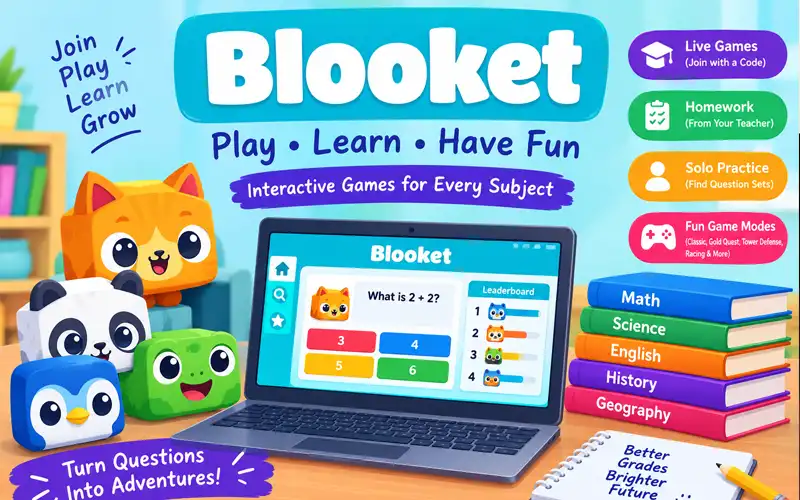
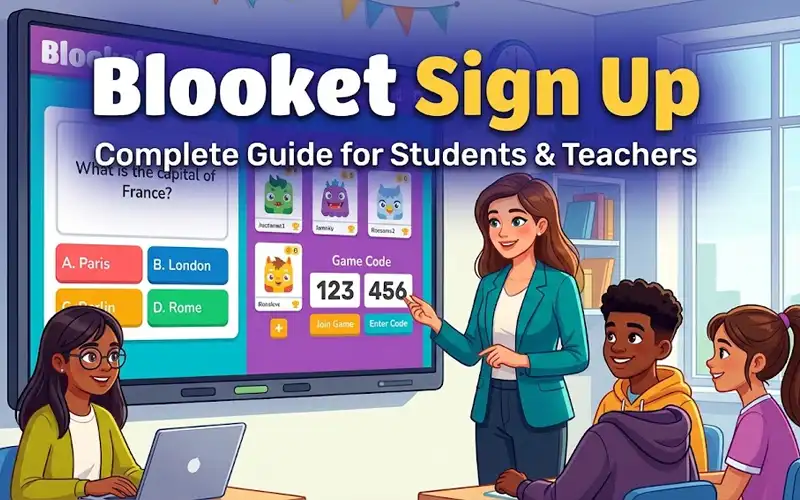
Play Blooket games to practice school subjects, answer interactive questions, and enjoy different types of educational gameplay. You can join a classroom session with a game code, complete an assignment from your teacher, or find a question set for independent practice.
The best way to start depends on what you want to do. If your teacher has shared a code, you can join a live game. If you have a homework link, open that assignment directly. If you want to study alone, sign in to Blooket and find a suitable question set.
This guide explains how to start playing, understand popular game modes, choose the right activity, and fix common problems. It also covers useful features for students who want to make their study time more productive.
Quick Ways to Play Blooket Games
You can start playing through different routes, depending on whether you have a game code, an assignment link, or your own Blooket account.
| What you want to do | Where to start | What you need |
| Join a live classroom game | Play Blooket | Game ID, QR code, or join link |
| Complete homework | Open Blooket Homework | Assignment link or QR code |
| Practice questions alone | Blooket website | Account and a compatible question set |
| Manage games or question sets | Blooket Dashboard | Appropriate account access |
For a live game, enter the code shared by your host and follow the on-screen instructions. For homework, use the teacher’s assignment link instead of looking for a live game code. For solo practice, sign in, find a question set, and select the available Solo option.
Students generally do not need an account to join a live game as guests. Solo play and account-based features have different requirements, so use the official Blooket student guide if you need more detailed instructions.
What Makes Playing Blooket Games Different
Blooket combines educational questions with game mechanics. Instead of answering questions only to receive a score, players may collect rewards, manage resources, defend a base, or compete against other participants.
The questions provide the learning activity, while the selected game mode changes how players make progress. This gives teachers several ways to use the same subject material in different classroom activities.
How Questions Turn Into Interactive Games
Question sets are the foundation of Blooket games. A set can contain questions about mathematics, science, English, geography, history, or another subject.
When you start a game, you answer questions from the selected set. Your answers then affect the game according to its rules. In Classic, correct answers help you earn points. In Gold Quest, answering questions allows you to open chests and collect gold. In Tower Defense, answers help you earn resources for defending against enemies.
These differences can make revision more engaging, but the quality of the questions still matters. Choose a set that matches the material you need to learn.
Why Students Enjoy Learning With Blooket
Interactive challenges can give students a reason to participate and keep working through questions. Some players enjoy competition, while others prefer activities that involve planning and gradual progress.
Teachers can use these features to review lessons, check students’ understanding, or introduce a topic in a more engaging way.
However, a high score does not always mean that a student understands every concept. Reviewing incorrect answers and revisiting difficult material are important parts of learning.
Get Ready Before You Play Blooket Games
Before starting, decide whether you want to join a live session, complete homework, or study independently. Each option follows a slightly different process.
What You Need to Start Playing
You need a device with an internet connection and a supported browser. A computer, Chromebook, tablet, or smartphone can work for many Blooket activities.
Depending on your chosen activity, you may also need a game code, an assignment link, or a Blooket account.
If you are joining a classroom game, keep the code or invitation nearby. If you are studying alone, prepare the topic you want to practice so you can find a relevant question set.
How to Find the Correct Blooket Page
Use the official page that matches your task:
- Blooket main website for exploring the platform and accessing available features.
- Blooket game joining page for entering a live game.
- Blooket Homework for opening homework activities.
- Blooket Dashboard for account and game-management features.
The account sign-in process is available through Blooket’s official website. You can also visit id.blooket.com if you need the sign-in page.
Avoid unofficial websites that promise unlimited rewards, free premium access, or special tools in exchange for your password.
When You Need a Blooket Account
An account is generally not required to join a live game as a guest. You can use the game ID, QR code, or join link shared by your teacher or host.
A Blooket account is needed for independent solo gameplay and account-based features such as managing your collection and tracking personal activity.
If you are using Blooket for school, follow your teacher’s instructions. Do not share your login details with other players or create an account on an unofficial website.
Start Playing With a Teacher or Classmate
Live games allow students to participate in a session hosted by a teacher or another host. Everyone follows the rules of the selected mode while answering questions.
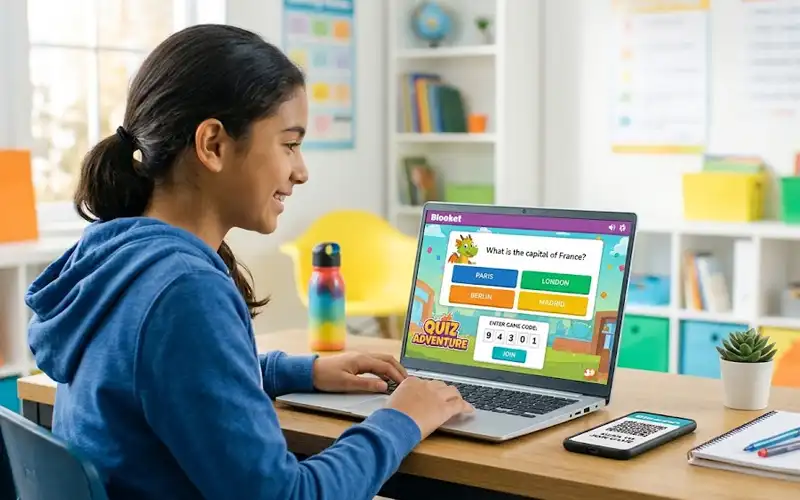
Enter a Game PIN to Join a Classroom Session
Ask your teacher for the current game code. Open play.blooket.com/play and enter the code in the field provided.
You may also be able to join through a QR code or a direct link shared by your host. These options can save time because you do not need to type the code manually.
Check the code carefully before continuing. If it does not work, confirm that the session is active and that the host has given you the correct details.
Choose Your Nickname and Enter the Game
After submitting the code, follow the instructions displayed on the screen. Depending on the host’s settings, you may be able to enter a nickname or use an automatically generated name.
Some sessions also allow you to choose a Blook, which is a collectible character used in the platform.
Use an appropriate nickname that follows your classroom rules. Avoid using your full name, phone number, home address, or other personal information.
What Happens After You Join
Once the host starts the game, read each question carefully and select the answer you believe is correct.
The screen may display points, progress, a leaderboard, or other information depending on the mode. Some games reward speed, while others focus more on strategy or resource management.
If you join late, your ability to participate depends on the session settings. Ask the host for help if the game is no longer accepting players.
Use Blooket for Practice Outside the Classroom
You do not always need to wait for a teacher to start a live session. Blooket also offers ways to practice questions independently or complete assigned activities.
Find Question Sets for Your Subject
Open the Blooket website and look for the Discover or question-set browsing features. Search for the subject you want to practice, such as fractions, grammar, vocabulary, science, or geography.
You can also look for a particular grade level or skill to narrow your search. Blooket’s question sets are created for different subjects and learning needs, so check the content before starting.
If you are preparing for a test, compare the questions with your textbook, class notes, or syllabus. This helps you avoid spending time on material that is not relevant to your exam.
Practice at Your Own Pace
To start a solo game, sign in to your Blooket account and find a suitable question set. Open the set, select Solo when available, choose a compatible game mode, and start playing.
You can work through questions without waiting for a teacher to host a session. This makes solo practice useful for reviewing lessons or becoming more familiar with a topic.
If you repeatedly answer certain questions incorrectly, pause and review the relevant material before trying again. Understanding your mistakes is more useful than simply repeating a game to achieve a higher score.
Complete Assignments Shared by Your Teacher
Teachers can assign Blooket homework and share a direct link or QR code. Open the invitation to access the assignment, then follow the instructions on the screen.
Some assignments allow students to choose from several game modes. Others may restrict the available options or set a target for correct answers.
Check the assignment details and due date before you begin. You can find additional guidance in the official Blooket homework instructions.
A homework assignment is different from joining a live game. Use the link provided by your teacher rather than entering a live-game code.
Explore Different Ways to Play Blooket
Blooket has a variety of game modes, and each changes how questions affect your progress. The modes available to you depend on the activity, account features, and current platform options.
Answer Questions and Build Your Score
Classic is a straightforward option for students who want to focus on questions and points. Correct answers help players improve their scores and compete on the leaderboard.
Because the basic idea is easy to understand, Classic can be useful for introductory classroom activities and quick reviews.
It is also a practical starting point for students who are using Blooket for the first time.
Manage Resources While Solving Questions
Some modes combine question answering with planning and resource management.
- Gold Quest: Players answer questions and open chests that can provide gold or affect other players.
- Tower Defense: Players use resources earned through questions to build defenses against waves of enemies.
- Factory: Players develop a production system and improve output as they progress.
- Café: Players answer questions while managing customers and serving items in a virtual café.
These modes may appeal to students who enjoy making decisions while practicing a subject. Read the instructions before starting because each mode has different rules.
Compete Against Other Players
Some modes focus on competition and progress against other participants.
- Racing: Correct answers help players move toward the finish line.
- Battle Royale: Players face opponents in elimination-style question challenges.
- Blook Rush: Players answer questions while trying to collect Blooks and protect their collection.
These modes can make group activities exciting, but students should still focus on accuracy rather than guessing quickly.
Game availability and settings can change. Check the official Blooket Game Mode Previews for current mode information and compatibility.
Choose Games That Match Your Learning Goals
Before choosing a mode, think about the purpose of your session.
If you want a quick review, a simple scoring mode may be the easiest option. If you enjoy strategy, Tower Defense or Factory may offer a more involved experience. If you want to compete with classmates, Racing or Gold Quest may be more suitable.
The best choice is the mode that keeps you engaged while allowing you to concentrate on the questions. A complicated game is not necessarily better for learning than a simple one.
Pick the Right Blooket Game for Your Goal
Choosing a game based on your needs can make a study session more useful. Consider how much time you have, whether you are playing alone, and what you want to practice.
Games for Quick Classroom Reviews
Classic can work well when a teacher wants students to answer questions without learning many extra rules. It keeps the focus on the selected question set and makes it easier for new players to participate.
A straightforward mode is often a good choice for short revision activities or when the class is unfamiliar with Blooket.
Games for Longer Study Sessions
Players who enjoy strategy and gradual progress may prefer Tower Defense, Tower Defense 2, Factory, or Café, depending on which options are available.
These modes include additional mechanics beyond answering questions, giving players more to manage during a session.
For longer activities, set a clear study goal and take breaks when needed. The aim should be to improve your understanding, not simply to spend more time playing.
Games for Friendly Competition
Gold Quest and Racing can be good options for students who enjoy comparing scores and competing with classmates. Battle Royale offers a different experience for groups that prefer elimination-style challenges.
Teachers should consider the students’ ages, the subject, and the classroom atmosphere when selecting a competitive mode.
Friendly competition can encourage participation, but it should not make students feel embarrassed about incorrect answers.
Play Blooket Games on Your Favorite Device
Blooket can be accessed through a supported web browser on many computers and mobile devices. Your experience may depend on the screen size, browser, network, and particular game.
Using a Computer or Chromebook
A computer or Chromebook offers a larger screen for reading questions and viewing game information. Open the relevant official Blooket page in an updated browser and follow the on-screen instructions.
If you are using a school Chromebook and the website is blocked, ask your teacher or school IT team for assistance. School networks may have restrictions on which websites students can access.
Playing on a Phone or Tablet
You can use a supported mobile browser to join a live game, open a homework link, or access your account for solo play.
Make sure the question and answer choices are visible before selecting an option. If the keyboard covers part of the screen, close it after entering the required information.
A stable internet connection is especially important during live sessions because a disconnection can interrupt your participation.
Making Questions Easier to Read on Small Screens
Hold your device in the orientation that makes the questions easiest to read. You can also adjust browser zoom settings if the text is difficult to see.
Close unnecessary tabs if your device is running slowly. If a game continues to perform poorly, try another supported browser or a more stable connection.
Avoid refreshing a live game unnecessarily, as doing so may interrupt your session.
Fix Common Problems During Gameplay
If Blooket does not work as expected, check the code, internet connection, browser, and session status before assuming the platform is unavailable.
What to Do When a Game PIN Is Rejected
Check the digits against the code provided by your host. Make sure there are no typing mistakes or extra numbers.
If the code is correct, ask whether the game is still active. A session may have ended, or the host may have started a different game.
You can also return to the official joining page and try again with the correct code.
How to Handle Loading and Connection Issues
If the page does not load, open another website to check your internet connection. If other websites work normally, the issue may be related to the browser, network restrictions, or the Blooket service.
Try reloading the page, closing unnecessary tabs, or using another supported browser.
If you are on a school network, ask the IT team whether a website filter or firewall is preventing access. Do not try to bypass your school’s security controls.
Why You May Be Unable to Enter a Game
A live game may have ended, reached its player limit, or stopped accepting new participants. You may also be using the wrong code or the wrong joining page.
Confirm the session details with your teacher or host. If the lobby is full or closed, you may need to wait for another session.
For account problems, use the official Blooket website rather than sharing your password with someone offering technical help.
Steps to Take After Losing Your Connection
Reconnect to your internet network and return to the game page. Whether you can rejoin depends on the session status and host settings.
For a homework assignment, reopen the original link and check whether the activity is still available. If your progress is missing, ask your teacher for guidance.
Using a stable network and avoiding unnecessary network changes can reduce interruptions during gameplay.
Make Blooket More Useful for Learning
Blooket can help you find areas that need more practice, but the way you use the platform matters. Combining gameplay with a study plan can make your time more productive.
Review Incorrect Answers After Each Session
Do not focus only on your final score. Identify the questions you answered incorrectly and try to understand why your original answer was wrong.
Check your textbook, class notes, or a trusted learning resource for the correct explanation. Understanding the reason behind a mistake can help you avoid repeating it.
If your teacher provides feedback or a results report, use it to decide which topics need more attention.
Repeat Difficult Questions Before a Test
Make a list of the subjects or skills you find challenging. Search for question sets that cover those topics and use them for focused practice.
Review your notes between attempts instead of repeatedly answering questions without understanding them.
Short practice sessions spread across several days can help you prepare more effectively than leaving everything until the last minute.
Balance Game Time With Study Time
Set a goal before starting a game. You might want to practice a particular topic, complete an assignment, or review a group of questions.
When you finish, spend a few minutes checking what you learned. If the game becomes distracting, return to your notes or choose a simpler activity.
Blooket is best used as a supplement to lessons, reading, and other study methods rather than as a replacement for them.
Understand Accounts, Rewards, and Paid Features
Blooket offers account features, collectible characters, rewards, and options intended for different types of users. The available features depend on the current platform offering and your account.
Which Features Can You Use for Free
The free Starter plan offers access to core Blooket activities, subject to current platform features and restrictions.
Students generally do not need to purchase a subscription simply to join a teacher-hosted live game. Teachers may consider paid features if they need additional classroom options or reporting tools.
Check the official Blooket website for current plan details before making a purchase. Features and limits can change over time.
How Blooks and In-Game Rewards Work
Blooks are collectible characters used within the Blooket platform. Supported activities may also provide rewards such as tokens or experience points.
Reward availability can depend on the activity, account status, and current platform rules. Not every session necessarily provides the same rewards.
Avoid unofficial token generators or websites that promise free premium features in exchange for your login details. Use the official platform to access available rewards.
When Teachers May Need Extra Features
Teachers may consider a paid plan when they need additional classroom tools, larger eligible game sessions, or more detailed reporting.
Whether an upgrade is worthwhile depends on class size, teaching needs, and the features currently included in the subscription.
Students should follow their school’s instructions and should not assume a paid subscription is necessary to join a normal classroom game.
Frequently Asked Questions
Can You Play Blooket Games Without Signing In?
Yes. Students can generally join live games as guests using a valid game code, QR code, or join link. Solo gameplay and some account-based features require signing in.
Can You Play Without a Game PIN?
Yes, in certain situations. You can open a homework assignment through a teacher’s direct link or start a solo game from your account. A game PIN is generally used to enter a live hosted session.
Can You Play Blooket Without a Teacher?
Yes. With a Blooket account, you can find available question sets and start compatible solo games without waiting for a teacher to host a session.
Does Blooket Work on Mobile Devices?
Blooket can be accessed through supported mobile browsers. You can join eligible live games, open homework links, and use available account features.
Can You Replay a Question Set?
You can generally play available question sets again when the platform allows it. Repeating a set can help you practice difficult material, especially when you review mistakes between attempts.
Is Blooket Suitable for Home Study?
Blooket can support home study by making question practice more interactive. Choose relevant question sets, review incorrect answers, and combine games with your regular schoolwork for a more useful study routine.
Start Playing Blooket Games Today
Blooket offers several ways to practice questions and take part in interactive learning. Join a live session with a code, open a homework assignment shared by your teacher, or sign in to explore solo games.
Choose a question set that matches your learning goals and select a game mode that suits your needs. Most importantly, take time to understand your answers and revisit difficult topics.
With a little planning, Blooket can make revision more engaging while helping you build confidence in the subjects you are learning.

3 thoughts on “Play Blooket Games Online for Learning and Fun”