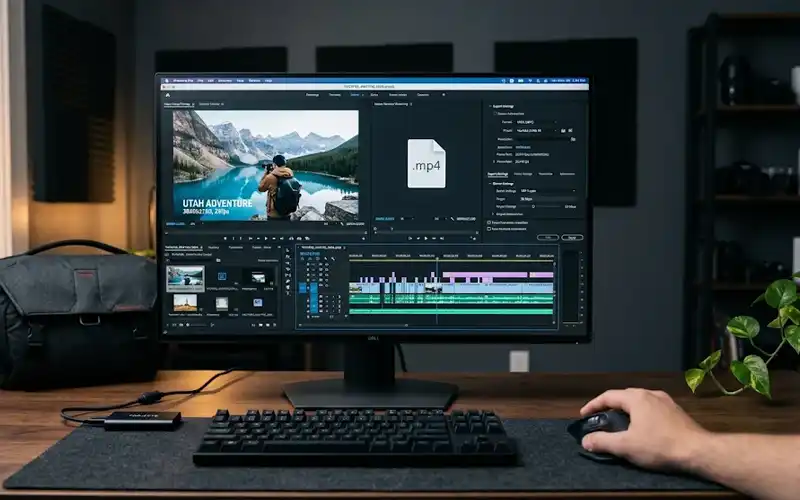




Want to know how to increase followers on TikTok without dancing, lip-syncing, or ever showing your face? You are not alone. Plenty of people want to grow an account but feel uncomfortable on camera, and the good news is that the platform does not require it. Some of the biggest accounts are built entirely on voiceovers, text, screen recordings, and smart editing.
This guide gives you 10 practical hacks you can start using today, followed by free extras, a weekly tracking routine, the mistakes to avoid, and a seven-day starter plan. You need no special gear, no paid tools, and no shortcuts that put your account at risk.
Why Faceless Accounts Grow Fast
TikTok recommends videos based on how viewers behave: whether they keep watching, replay, share, save, or comment. Nothing on that list requires a face. A strong idea, a clear message, and good pacing earn the same signals whether a person appears on screen or not.
Faceless creators also get practical advantages. You can film in any setting, work at any hour, and keep your private life private. Because the format relies on scripts and repeatable templates rather than your mood or appearance, you can publish more consistently, and consistency is where most growth comes from.
It also matches how people actually watch. Viewers decide within seconds whether a video is useful, and they judge it by the idea, the visuals, and the first line, not by who is speaking. Seeing yourself as a publisher of short videos rather than a performer takes away much of the pressure.
Quick Look at All Ten Hacks
Use this table to decide where to start. Times are rough estimates for one video.
| Hack | Time needed | Difficulty | Main benefit |
| 1. Faceless niche | 1 hour, once | Easy | A clear audience |
| 2. Voiceovers | 15 minutes | Easy | Personality and trust |
| 3. On-screen text | 10 minutes | Easy | Clarity for every viewer |
| 4. Visuals | 20 minutes | Medium | A polished look without filming |
| 5. Three-second hook | 5 minutes | Medium | Fewer early drop-offs |
| 6. Search keywords | 5 minutes | Easy | Discovery through search |
| 7. Series | 1 hour, once | Medium | Viewers who return |
| 8. Trending sounds | 10 minutes | Easy | Extra reach |
| 9. Comment replies | 15 minutes | Easy | Endless video ideas |
| 10. Repurposing | 10 minutes | Easy | More audiences |
1. Choose a Faceless Niche
Everything else rests on your niche, so pick it first. Good faceless niches include recipes, personal finance tips, book summaries, study techniques, app and tech tips, history facts, and productivity. Each one can be explained with visuals and a voice instead of a person.
Use a three-part test. Can you make 30 videos on it without running dry? Do people already search for it? Can you add an angle others are not using? “Fitness” is too wide, while “ten-minute workouts for small apartments” gives viewers a clear reason to follow. Write your niche as one sentence and keep it somewhere you can see it.
Do a quick demand check before committing. Type your topic into the TikTok search bar and read the suggested phrases, which come from real searches. Then watch the top results and note what is missing, such as beginner explanations, a local angle, or a simpler format. Test the niche with five videos before you judge it.
2. Record Voiceovers People Enjoy
A voiceover gives a faceless video its personality. You can record your own voice or use TikTok’s built-in text-to-speech if you prefer to stay anonymous. Your own voice usually builds more trust over time, but a consistent synthetic voice still works when the content is genuinely useful.
Write a short script and read it aloud once to catch awkward lines. Speak slightly faster than you would in conversation and cut every long pause. Hold the phone close to your mouth and record in a room with soft furnishings, such as a bedroom with curtains and a bed, because they reduce echo. If you hear background noise on playback, record again.
Consistency matters more than perfection. Use the same tone, pace, and sign-off in every video so viewers recognize you within a second. Free editors such as CapCut make it easy to trim pauses and even out the volume, so even a quick recording sounds clean. Nobody sees your retakes, so keep the best one.
3. Add Bold On-Screen Text
On-screen text does two jobs: it explains the video and keeps it understandable for people watching without sound. Place it in the upper-middle of the frame, away from the buttons and caption area at the bottom and right edge, so nothing gets covered.
Keep one idea per line and use a large, bold font with strong contrast, such as white text with a dark outline. Make each line appear as you say it rather than all at once. If a line takes more than two seconds to read, shorten it. You can also add TikTok’s auto-captions, but check them for mistakes before posting.
Use color to guide attention. Highlight the key word of each line in a second color, such as yellow, so the point lands at a glance, and stick to one font across all videos so your account looks like a brand. Preview each video on your phone at arm’s length; if a line is hard to read, make it larger.
4. Source Visuals Without Filming Yourself
You do not need to film yourself to have strong visuals. Free options include licensed stock clips from sites such as Pexels and Pixabay, screen recordings of apps and websites, photo slideshows, simple animations, and close-ups of an object or your hands. Always check each site’s license before using a clip.
Change the visual every two to four seconds so the screen keeps moving. A simple workflow saves time: write the script, collect one clip per line, add the voiceover, then layer the text. Use only footage you own or that is licensed for reuse, since copying other creators’ clips can get your video removed.
Build a small library so you never start from zero. Sort your favorite clips into folders by theme, such as city, office, nature, and hands typing, and keep your best screen recordings ready to reuse. For tutorials, record at a steady pace and zoom into the important part, because tiny details are hard to read on a phone.
5. Hook Viewers in Three Seconds
In a faceless video, your opening line and opening image must do the work a charismatic presenter normally would. Start with the most interesting part, not an introduction. Instead of “Today I will talk about budgeting,” open with the surprising result.
Rotate three formulas. Curiosity: “Most people never notice this phone setting.” Challenged belief: “You do not need a big budget to eat healthy.” Result first: “I saved 200 dollars in a month using one rule.” Deliver whatever you promise quickly, because a hook that misleads makes viewers leave and sends a weak signal to the algorithm.
Write three versions of the opening line, read them aloud, and pick the one that makes you most curious. Then compare results across videos: if one loses most viewers in the first seconds, change the opening before you change the topic. A saved list of hooks that worked for you becomes a reliable starting point.
6. Target Keywords for TikTok Search
Many people use TikTok like a search engine, so help the platform understand your video. TikTok reads your caption, the text on screen, and the words you speak. Say your main keyword in the first few seconds, show it in text, and include it naturally in the caption.
Think about what a viewer would actually type. “Easy dinner for one” is better than “food.” Add three to five hashtags: one or two specific ones, one mid-sized, and one broad. Hashtags help categorize a video, but the keyword work above usually does more for discovery.
Find keywords where they already live. Start typing your topic into the search bar and note the autocomplete suggestions, then read comments on popular videos for the exact words people use. Keep the wording natural, because a sentence stuffed with keywords sounds awkward and can lower watch time.
7. Build Series That Bring People Back
A series gives people a reason to follow instead of watching once and leaving. Pick a repeatable format with a clear name, such as “One Money Rule a Day,” “Book in 60 Seconds,” or “Excel Trick Tuesday.” A viewer who enjoys one episode will want the next.
Number your episodes and tease the next topic at the end, for example “Tomorrow: the hidden fee in most bank accounts.” Keep the style identical so your profile grid looks organized. A series also makes planning easier, because the format is already decided and you only need new content to fill it.
Plan a series in batches. Choose a theme, list ten episode ideas, and write all ten scripts in one sitting, so recording becomes a short routine. If an episode does well, follow it with a deeper part two. Retire a series only after at least five episodes, because early numbers can mislead.
8. Ride Trending Sounds Wisely
Trending sounds can put a video in front of new viewers, but only when they suit your content. Find them in TikTok Creative Center, by scrolling your For You page, or by tapping a sound to see how many videos are rising with it. Choose sounds that are still growing, not ones already everywhere.
For faceless videos, sync your visuals to the beat by cutting clips or popping text in time with the music. If you also have a voiceover, lower the music so speech stays clear. When a sound does not fit your niche, skip it. A forced match confuses viewers, and your own original audio can work better.
Sounds age quickly. One that is rising today may feel stale in two weeks, so save promising ones to your favorites and use them while they are still climbing. Keep a short list of evergreen tracks for days when nothing trending fits, and note that some music is restricted on business accounts.
9. Turn Comments Into New Videos
Comments are a free idea generator. Tap a comment and choose to reply with a video, and your answer appears with that comment shown on screen. This suits faceless creators well, because the comment itself supplies the visual.
Look for questions that many people might share, not just personal ones, and answer in under 30 seconds. You can also Stitch another creator’s video to add a correction or tip, as long as you stay relevant and respectful. Each reply shows your audience you are listening, which invites more questions and therefore more videos.
Make reply videos easy to recognize by using the same layout every time, so a viewer who sees one knows what the rest offer. A critical but fair comment answered calmly often earns more respect than silence. Skip hateful comments entirely; your replies should add value for the whole audience, not start arguments.
10. Repurpose Videos on Other Platforms
Post the same video on Instagram Reels and YouTube Shorts, where people who already follow you elsewhere can discover your TikTok. Export a clean version without the TikTok watermark when you can, such as the original file from your editing app, since some platforms give watermarked uploads less reach.
Adapt the caption and tags for each platform, which takes only a few minutes, and put your TikTok handle in your bio on both. One piece of work then feeds three audiences. A quick routine helps: export once, give each file a clear name, and paste a different caption into each app so the same video never looks like a copy.
Adjust the ending for each platform. Instagram viewers often respond to a prompt to save the post, while Shorts viewers may subscribe if you point them to a playlist. Schedule all three uploads in one session to keep the work light, then see which platform sends the most people back to TikTok and focus there.
Extra Free Tricks for Likes and Followers
Looking for a how to get more followers on TikTok free hack? These six small moves cost nothing and help you get more likes and followers on TikTok for free. First, reply to every comment in the first hour after posting, since early activity helps a video gain momentum. Second, post a pinned comment that asks a specific, easy question, such as “Which tip surprised you most?”
Third, use your three pinned video slots on your best performer, a video that explains what your account is about, and your newest strong post. Fourth, write your bio as a single promise, for example “One budgeting tip daily,” and add a link only if it gives visitors a clear next step.
Fifth, send your best video to a friend who fits your target audience, since a genuine share is a strong signal. Sixth, follow ten accounts in your niche and leave thoughtful comments, because people who see a useful comment often check the profile behind it.
Track Results Every Week
If you want to boost TikTok followers and likes steadily, let data guide your next video. Open TikTok Studio, go to Analytics, and check three things: average watch time, traffic source (For You or Following), and follower activity. Do this once a week rather than every day, so you can see patterns instead of noise.
Find your best video of the week and note its hook, length, and format. Build your next five videos around that pattern. Treat likes as a bonus; saves and shares show whether people found the video worth keeping.
Keep a simple log so patterns are easy to spot. A spreadsheet with five columns is enough: date, topic, hook, length, and average watch time. After a month you will see which hooks and topics repeat among your winners. Let the log, not your mood, choose the next topic.
Mistakes That Slow Growth
Chasing views from off-topic videos is a common trap. A random viral clip can bring thousands of viewers who have no interest in your niche, so few of them follow. Also, do not ignore your profile page: viewers who like a video still check your bio and grid before tapping follow, so make sure both are clear.
Expecting results after three videos is another mistake, because the algorithm needs time and data to learn who your content is for. Finally, avoid paid follower packages and “free follower generator” websites. Fake followers do not watch your videos, and these services can put your account and login details at risk.
Do not copy a creator word for word either. Borrowing a format is fine, but identical wording or footage can confuse viewers and may break platform rules on reposting other people’s work. Take the structure, then add your own examples, numbers, and tone, so people have a reason to choose your account over similar ones.
Your Seven-Day Starter Plan
On day one, choose your niche and rewrite your bio as a single promise. On days two to six, publish one video each day, applying a different hack from this guide every time so you learn what suits you. Keep each video under 30 seconds while you build the habit.
On day seven, open your analytics and find your strongest video. Use its structure for next week’s posts.
Keep the plan realistic. If seven videos feels like too much, publish three and spend the other days preparing scripts and clips; a schedule you can finish beats an ambitious one you abandon. After week one, repeat the cycle and change only one thing at a time, such as the hook or the length, so you know what caused any difference. Which niche will you start with? Tell us in the comments, and share this guide with a friend who wants to grow without showing their face.
Frequently asked questions
Does Posting Daily Matter?
Not necessarily. Three to five good videos a week is a realistic schedule for most faceless creators, and a steady routine you can sustain beats a short burst of daily posts followed by silence.
How Long Until Growth Appears?
It varies widely. Some accounts gain traction within weeks, while others need a couple of months of testing. Review your analytics monthly and judge progress by the trend across several videos, not only by follower count.
Is a Faceless Account Monetizable?
Yes, faceless creators can earn through TikTok Shop, affiliate links, and brand deals. The Creator Rewards Program currently asks for 10,000 followers, 100,000 views in the last 30 days, age 18 or older, original videos longer than one minute, and an account in an eligible country. As of mid-2026 that list covers the United States, United Kingdom, Germany, France, Japan, South Korea, Mexico, and Brazil, so creators elsewhere can start with brand deals, affiliate links, or UGC work, which have no official follower minimum. Check the app, because TikTok changes availability often.
Can AI Voices Hurt My Reach?
Not by themselves. Many viewers accept text-to-speech when the content is useful and the audio is clear. If your video uses realistic AI-generated visuals or voices, TikTok may require a label, so read its current rules before posting.
Why Do Views Rise and Fall?
TikTok judges every video on its own, so one strong post does not guarantee the next. Normal swings are no reason to change your whole approach. Look at the average of your last ten videos before deciding whether something needs fixing.
Should I Delete Videos That Flop?
Usually not. A video can pick up views later through search, and a longer history shows new visitors what your account offers. Remove a video only if it is off-topic, inaccurate, or breaks TikTok’s rules.
Will a Second Account Help?
Not at the start. A second account splits your time and your data before the first one has found its audience. Wait until one account runs smoothly, then launch the second in a different niche, and check TikTok’s limits on multiple accounts.
Conclusion
Learning how to increase followers on TikTok without showing your face comes down to a few repeatable habits: a clear niche, a strong opening, useful content, and a steady review of what works. None of them depends on how you look or sound on camera, which means anyone can start today.
Progress will feel slow at first, and that is normal. Treat every video as a small experiment, keep the lessons it teaches you, and let your results guide the next one. Followers follow value, so keep making videos that give people a reason to stay. Which niche will you start with? Tell us in the comments, and share this guide with a friend who wants to grow without showing their face.